
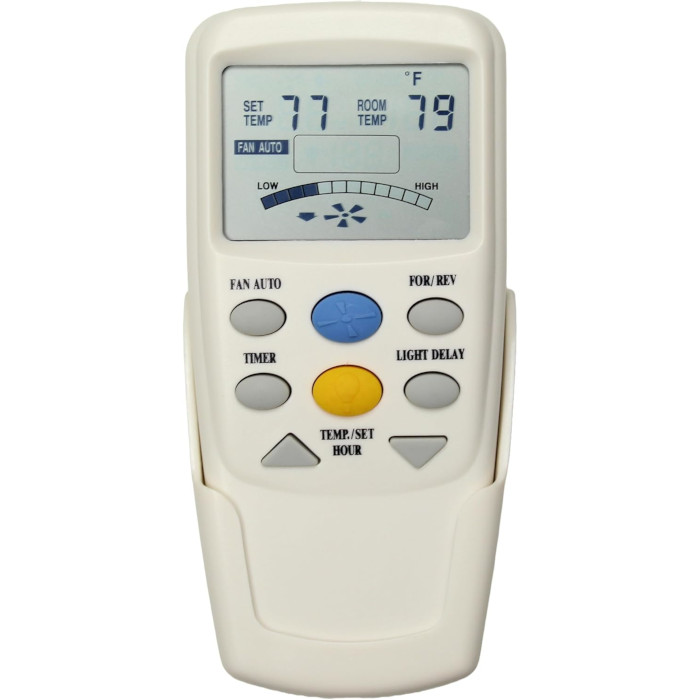
Most Hampton Bay ceiling fan remotes use DIP switches rather than pairing. To set one up, copy the up/down pattern of the four switches from your old remote or the fan's receiver onto the new remote, then fit the right battery. A few newer Hampton Bay remotes learn instead: power-cycle the fan and press the learn button right away.
If you own a Hampton Bay fan, there’s a good chance its remote has a row of tiny switches under the battery cover. Most Hampton Bay remotes we stock work that way. You don’t “pair” them in the usual sense. You set them to the same code as the receiver in the fan. Once you understand that, replacing a lost or broken Hampton Bay remote is usually a five-minute job.
Why most Hampton Bay remotes are set, not paired
A DIP-switch remote and its receiver each have the same small bank of switches, usually four. Every up/down combination is a different code, and four switches give 16 possible codes. The receiver ignores any signal that doesn’t carry its code. So a new remote works as soon as its switches match the receiver’s. There’s no button sequence and no timing window, and the setting survives power cuts.
The flip side: if even one switch is wrong, nothing happens. Most “dead” replacement remotes we hear about turn out to have a switch set the wrong way.
How to set the DIP switches on a Hampton Bay remote
- Find the code. Open the old remote’s battery cover and note each switch as up or down, reading in order. If the old remote is lost, the same switches are on the receiver in the fan canopy.
- Copy it. Use a pen tip or small screwdriver to set the new remote’s switches to the identical pattern.
- Power it. Fit the battery type the listing calls for (it varies, see the table below) and close the cover.
- Test everything. Try each speed, the light and dimming, and reverse if your remote has it.
Which Hampton Bay DIP remote do you have?
The setup is the same, but the batteries and buttons differ. Here are some of the DIP-switch styles we list for Hampton Bay fans:
| Listing | Battery | Notable buttons |
|---|---|---|
| CHQ7096T remote | Four AAA | Three speeds, down-light dimming, reverse key |
| TRC100L remote | Four AAA | Fan Timer key for automatic off, no reverse key |
| TR227B remote | Two AAA | Four speeds, natural breeze, light color and delay timer |
| TR240B remote | Two AAA | Four speeds, light dimming |
| CHQ8BT7053T remote | One 9V | Three speeds, reverse, dimming |
Some Hampton Bay remotes have a fifth switch for the light rather than the code. On those, leave it on for a dimmable light and off for one that can’t dim. If you don’t know the code and can’t reach the receiver, you can step through the 16 patterns one at a time until the fan reacts. Our full DIP switch guide explains the different markings.
The exceptions: Hampton Bay remotes that learn
Not every Hampton Bay remote uses switches.
Learn button under the battery cover
Some newer Hampton Bay fans with color-changing LED lights use a learning remote, such as the remote listed for the SW22008GD fan. It arrives with its battery already fitted. Switch the fan off at the wall or breaker for about ten seconds, switch it back on, and press the learn button inside the battery compartment right away. The fan or light reacts to confirm. You’ll need to repeat this if the receiver is ever replaced.
Remotes that set up with the fan’s own receiver
The UC7229T remote and the Premier collection remote have to be set up with the receiver already in your fan, following your fan’s instructions. If you no longer have them, call us and we’ll walk you through it. Our general guide to pairing a ceiling fan remote covers learn-style setups on other brands too.
Where to find the number: remote, fan and Home Depot
- On the remote: check the back and the inside of the battery compartment, often printed near the DIP switches.
- On the fan: Hampton Bay fans carry a rating label with the model and serial number. On at least some models it sits inside the mounting plate at the ceiling, as the CPSC notes in a recent recall notice.
- Online: Home Depot’s Hampton Bay customer service page explains how to search homedepot.com by UPC or model number and open the product’s Info & Guides section for the manual.
Our page on how to find your remote’s model number has more places to look. You can also text us a photo of the remote, front and back, and we’ll identify it.
Hampton Bay receivers, reverse modules and wall controls
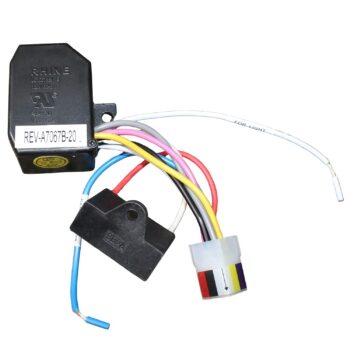
When a remote with the right code still gets no response, the receiver may be at fault. We carry DIP-switch receivers for Hampton Bay fans, including the UC7067RC receiver for fans with separate up and down lights and the UC7051R receiver for down-light fans with reverse. Set a new receiver’s switches to match your remote before you install it. Our receiver replacement guide covers the job step by step.
If everything works except reverse, the separate reverse module may have failed. The UC7067REV reverse module plugs into the switch housing or canopy. Always let the blades stop completely before you test reverse.
Prefer a control by the door? We also stock Hampton Bay wall controls, both battery models that share the remote’s code and hardwired slide controls. Avoid an ordinary light dimmer for the fan motor. ENERGY STAR warns that a conventional dimmer can make a ceiling fan motor hum. See wall control vs. remote to decide which suits your room.
Home Depot, official support and recall checks
Hampton Bay is a Home Depot house brand, and CPSC recall notices for Hampton Bay fans list Home Depot as the seller. For warranty claims on the fan itself, Home Depot lists Hampton Bay Customer Service at 1-855-HD-Hampton, Monday to Friday 8 AM to 7 PM and Saturday 9 AM to 6 PM Eastern. We’re an independent store selling Comfort Direct replacement parts, and our Hampton Bay parts page lists them all.
Before you buy parts, check that your fan isn’t under recall. In August 2026, for example, the CPSC announced a recall of Hampton Bay Halwin 52-inch fans because the blades can separate from the motor. If your fan is on a recall list, follow that notice and stop using the fan.
Hampton Bay remote problems we hear about most
- A neighbor’s remote, or the garage door opener, works your fan. Pick a new pattern and set it on both the receiver and the remote.
- Two Hampton Bay fans answer one remote. They share a code. Give one fan a different pattern, and set that fan’s remote to match.
- Reverse button does nothing. Only fans built with remote reverse respond, and the receiver or reverse module must support it.
- Remote works only up close. Fit a fresh battery of the right type: 9V, A23 and AAA styles all exist in this brand. Our battery guide has tips.
Before you order a Hampton Bay replacement
Choose the listing that shows the exact number from your remote, or your exact fan model number, in its title. A remote that just looks similar may have different buttons or a different battery. If you’re unsure, text a photo to (816) 586-8457 or email info@fanremotes.com, Monday to Friday, 8 AM to 5 PM Central.
In-stock orders placed before 4 PM Central leave the same day, with free shipping over $35. Every remote is covered by a 1-year warranty, and uninstalled parts can be returned within 90 days with no restocking fee. Scroll down for every Hampton Bay listing we carry.
Popular Picks
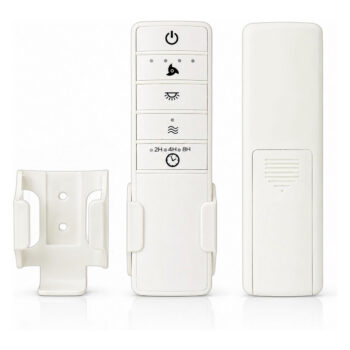
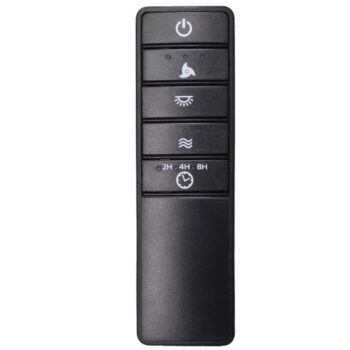
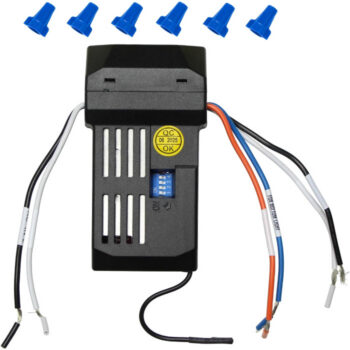
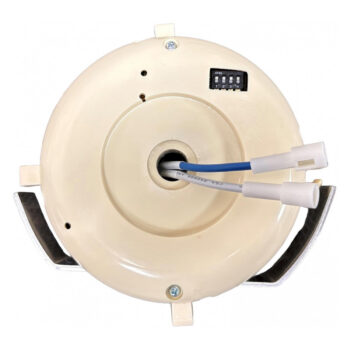
All Hampton Bay Parts We Stock (85)
Find the number printed on your old part (back of the remote or inside the battery cover; on receivers, the label on the side) and pick the listing with that exact number.
Remotes (63)
 167388167388 Ceiling Fan Remote Control for Hampton Bay$29.95
 2660326603 Ceiling Fan Remote Control for Hampton Bay$32.95
 2662326623 Ceiling Fan Remote Control for Hampton Bay$32.95
 28865-SWT000128865-SWT0001 Ceiling Fan Remote Control for Hampton Bay$39.95
 2968A-7229T2968A-7229T Ceiling Fan Remote Control$19.95
 2A767-SWT00012A767-SWT0001 Ceiling Fan Remote Control for Hampton Bay$39.95
 2AQZU-180152AQZU-18015 Ceiling Fan Remote Control for Hampton Bay$29.95
 2AQZU-180162AQZU-18016 Ceiling Fan Remote Control for Hampton Bay$29.95
 5213052130 Ceiling Fan Remote Control for Hampton Bay$29.95
 5213152131 Ceiling Fan Remote Control for Hampton Bay$29.95
 5213252132 Ceiling Fan Remote Control for Hampton Bay$29.95
 5213352133 Ceiling Fan Remote Control for Hampton Bay$29.95
 54-FANE54-FANE Ceiling Fan Remote Control for Hampton Bay$29.95
 54-WWD54-WWD Ceiling Fan Remote Control for Hampton Bay$29.95
 54CVT54CVT Ceiling Fan Remote Control for Hampton Bay$29.95
 5891358913 Ceiling Fan Remote Control for Hampton Bay & Home Decorators$29.95
 5891958919 Ceiling Fan Remote Control for Hampton Bay & Home Decorators$29.95
 5892858928 Ceiling Fan Remote Control for Hampton Bay & Home Decorators$29.95
 5892958929 Ceiling Fan Remote Control for Hampton Bay & Home Decorators$29.95
 5924659246 Ceiling Fan Remote Control for Hampton Bay & Home Decorators Fans$29.95
 5924859248 Ceiling Fan Remote Control for Hampton Bay & Home Decorators Fans$29.95
 5925859258 Ceiling Fan Remote Control for Hampton Bay & Home Decorators Fans$29.95
 5926059260 Ceiling Fan Remote Control for Hampton Bay & Home Decorators Fans$29.95
 5926859268 Ceiling Fan Remote Control for Hampton Bay & Home Decorators Fans$29.95
 68-ATR68-ATR Ceiling Fan Remote Control for Hampton Bay$18.95
 9221192211 Ceiling Fan Remote Control for Hampton Bay & Home Decorators$29.95
 9221692216 Ceiling Fan Remote Control for Hampton Bay & Home Decorators$29.95
 9221792217 Ceiling Fan Remote Control for Hampton Bay & Home Decorators$29.95
 9991899918 Ceiling Fan Remote Control for Hampton Bay & Home Decorators Mena Fans$29.95
 9991999919 Ceiling Fan Remote Control for Hampton Bay & Home Decorators$29.95
 A25-TX028C-SA25-TX028C-S Ceiling Fan Remote Control for Hampton Bay & Home Decorators$29.95
 AC434NIAC434NI Ceiling Fan Remote Control for Hampton Bay$29.95
 AL101BNAL101BN Ceiling Fan Remote Control for Hampton Bay$29.95
 BeckfordBeckford Ceiling Fan Remote Control for Hampton Bay & Home Decorators Fans$29.95
 BladeridgeBladeridge Ceiling Fan Remote Control for Hampton Bay & Home Decorators Fans$29.95
 CheltonChelton Ceiling Fan Remote Control for Hampton Bay & Home Decorators Fans$29.95
 CHQ7052TCHQ7052T Fan Remote Control For Hampton Bay Ceiling Fans$19.95
 CHQ7096TCHQ7096T Ceiling Fan Remote Control for Hampton Bay$32.95
 CHQ7096TCHQ7096T Ceiling Fan Remote Control For Hampton Bay & Harbor Breeze$29.95
 CHQ7229TCHQ7229T Ceiling Fan Remote Control$19.95
 CHQ8BF7096TCHQ8BF7096T Ceiling Fan Remote Control for Hampton Bay$32.95
 CHQ8BF7096TCHQ8BF7096T Ceiling Fan Remote Control For Hampton Bay & Harbor Breeze$29.95
 CHQ8BT7053TCHQ8BT7053T Ceiling Fan Remote Control for Hampton Bay (4 DIP Switches)$36.95
 CHQ8BT7053TCHQ8BT7053T Ceiling Fan Remote Control for Hampton Bay (5 DIP Switches)$36.95
 CHQ8BT7096TCHQ8BT7096T Ceiling Fan Remote Control for Hampton Bay$32.95
 CHQ8BT7096TCHQ8BT7096T Ceiling Fan Remote Control For Hampton Bay & Harbor Breeze$29.95
 G9P2BTAUC7052TG9P2BTAUC7052T Fan Remote Control For Hampton Bay Ceiling Fans$19.95
 MenaMena Ceiling Fan Remote Control for Hampton Bay & Home Decorators Mena Fans$29.95
 PremierPremier Ceiling Fan Remote Control for Hampton Bay$19.95
 SW-T0001SW-T0001 Ceiling Fan Remote Control for Hampton Bay$39.95
 SW-T0001-01SW-T0001-01 Ceiling Fan Remote Control for Hampton Bay$39.95
 SW22008GDSW22008GD Ceiling Fan Remote Control for Hampton Bay$39.95
 TR227BTR227B Ceiling Fan Remote Control for Hampton Bay$29.95
 TR240BTR240B Ceiling Fan Remote Control for Hampton Bay$29.95
 TRC100LTRC100L Ceiling Fan Remote Control for Hampton Bay$32.95
 TX028C-STX028C-S Ceiling Fan Remote Control for Hampton Bay & Home Decorators$29.95
 UC7030TUC7030T Ceiling Fan Remote Control For Hampton Bay, Hunter, Harbor Breeze$27.95
 UC7083TUC7083T Ceiling Fan Remote Control for Harbor Breeze$29.95
 UC7096TUC7096T Ceiling Fan Remote Control For Hampton Bay & Harbor Breeze$29.95
 UC7229TUC7229T Ceiling Fan Remote Control$19.95
 YG423-BNYG423-BN Ceiling Fan Remote Control for Hampton Bay$29.95
 YG630BNYG630BN Ceiling Fan Remote Control for Hampton Bay & Home Decorators Fans$29.95
 YG630MBKYG630MBK Ceiling Fan Remote Control for Hampton Bay & Home Decorators Fans$29.95
Receivers (12)
 360396360396 Ceiling Fan Receiver for Hampton Bay$38.95
 458611458611 Ceiling Fan Receiver for Hampton Bay$29.95
 7067YG-01H(6+5)7067YG-01H(6+5) Fan Remote Receiver$38.95
 871861871861 Ceiling Fan Receiver for Hampton Bay$38.95
 AL60-OBBAL60-OBB Ceiling Fan Receiver for Hampton Bay$29.95
 CHQ8BT7051RCHQ8BT7051R Ceiling Fan Receiver for Hampton Bay$46.95
 UC7051FMRXUC7051FMRX Ceiling Fan Receiver for Hampton Bay$46.95
 UC7051RUC7051R Ceiling Fan Receiver for Hampton Bay$46.95
 UC7067FMRXUC7067FMRX Ceiling Fan Receiver for Hampton Bay, Hunter, Harbor Breeze & More$29.95
 UC7067RCUC7067RC Ceiling Fan Receiver for Hampton Bay, Hunter, Harbor Breeze & More$29.95
 UC7067RCUC7067RC Remote Receiver for Hampton Bay Ceiling Fans$38.95
 UC7067YGMUC7067YGM Remote Receiver for Hampton Bay Ceiling Fans$38.95
Wall Controls (5)
 CHQ8BT9051TCHQ8BT9051T Ceiling Fan Wall Control for Hampton Bay$29.95
 CHQ9051TCHQ9051T Ceiling Fan Wall Control For Hampton Bay, Harbor Breeze, & Emerson$29.95
 UC-9051TUC-9051T Ceiling Fan Wall Control For Hampton Bay, Harbor Breeze, Emerson$29.95
 UC9031UC9031 Ceiling Fan Wall Control, Hard-Wired$25.95
 UC9051TUC9051T Ceiling Fan Wall Control For Hampton Bay & Harbor Breeze$29.95
LED Light Kits (1)

Reverse Modules (4)


No match on this page. Search the whole store or text us a photo.
Frequently Asked Questions
Do Hampton Bay remotes need to be reprogrammed after a power outage?
DIP-switch remotes don't, because the code is set by the physical switches. Learning-style remotes sometimes need the learn steps repeated after an outage or a new receiver.
What does the fifth DIP switch do on a Hampton Bay remote?
On remotes that have one, it usually sets the light for dimmable or non-dimmable bulbs rather than forming part of the code. Check your remote's instructions to be sure.
Is there a reset button on a Hampton Bay ceiling fan remote?
Most DIP-switch Hampton Bay remotes have no reset button. Changing the code on both the remote and the receiver does the same job.
Can Home Depot sell me a replacement Hampton Bay remote?
Home Depot's Hampton Bay customer service handles warranty questions for the fan. You can also order a Comfort Direct replacement from us, listed by remote number or fan model number.
How do I know if my Hampton Bay fan has a receiver?
If the fan came with a handheld remote, it has a receiver, usually in the canopy at the ceiling or in the switch housing under the motor. Its DIP switches are visible once the cover is off.
Why won't my new Hampton Bay remote work even with the switches matched?
Check the battery first, then recheck every switch, because a single wrong switch blocks the signal. If it still won't work, the receiver may have failed.