
UC7096T Ceiling Fan Remote Control For Hampton Bay & Harbor Breeze
- Part # UC7096T
- Ceiling Fan Remote
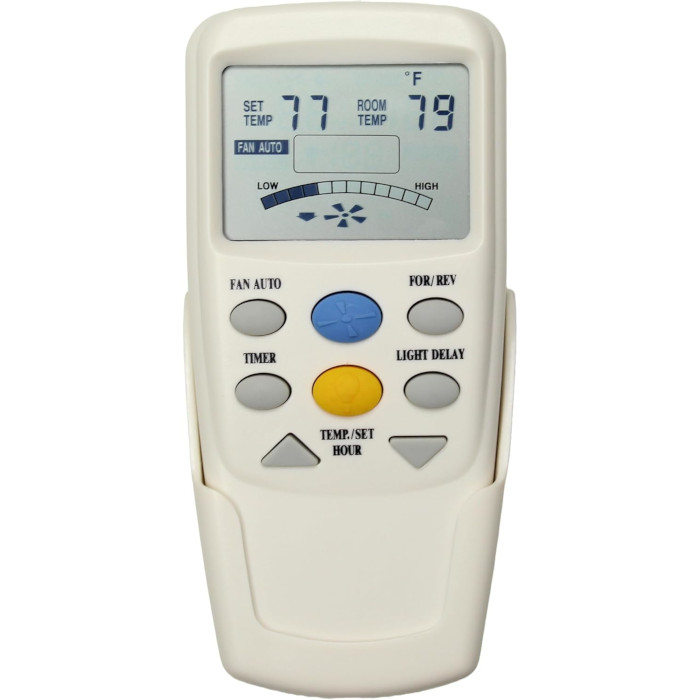
Swap a lost or worn UC7096T for this remote and get three speeds, reverse and an LCD temperature display on your Hampton Bay fan.
$29.95
Ships today from FanRemotes.com
if ordered in the next
In stock
- 1-Year WarrantyOn every product
- Same-Day ShippingIn-stock orders by 4 PM
- 90-Day ReturnsSee return policy
- Expert Support(816) 586-8457Mon–Fri, 8 AM – 5 PM CT
Will This Remote Fit?
This remote is made to replace the UC7096T. Check the label on your old remote (often inside the battery cover) — if it reads UC7096T, this is the one you need.
Need help finding your model number? Not sure? Call (816) 586-8457 or email info@fanremotes.com.
About the Hampton Bay UC7096T Remote
Our replacement for the UC7096T brings back reverse, Light Delay and down-light dimming, so you can run your Hampton Bay fan from across the room again. Slide the battery cover off your old remote and you'll typically find UC7096T on the label there or on the back. Look for an LCD screen and a For/Rev key. If your old remote has those and no Fan Timer key, it matches this one.
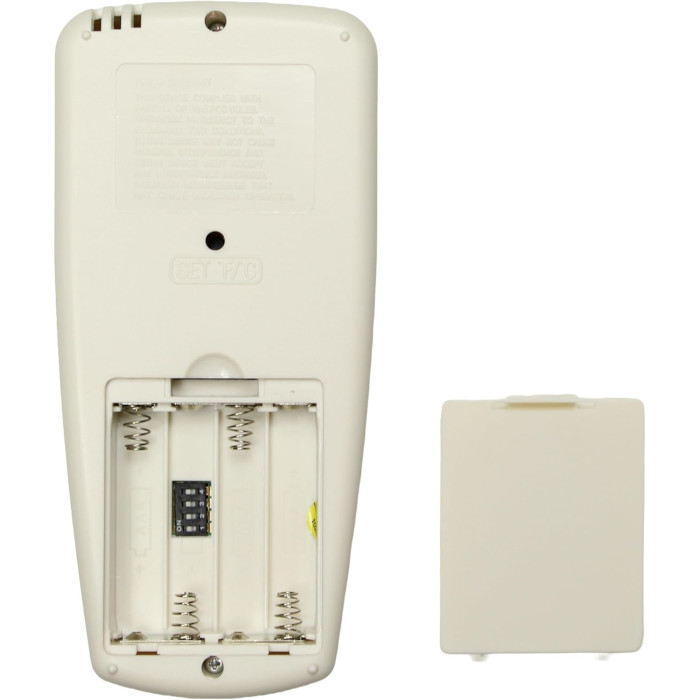
Made for Hampton Bay fans that came with the UC7096T. Setup is four DIP switches and four AAA batteries.
- Four 1.5V AAA batteries, sold separately
- For/Rev key for summer and winter airflow
- One fan key steps through high, medium, low and off
Choosing AAA batteries
Use fresh alkaline AAA cells from the same pack. Mixing an old cell with a new one, or a rechargeable with an alkaline, can shorten battery life and make the remote act up. Check the + and - marks in the compartment as you load them. If a cell ever leaks, clean the contacts with a cotton swab before putting new ones in.
The For/Rev key
The For/Rev key changes the fan's direction from your chair. Use it to switch between a summer downdraft and a gentle winter updraft without touching the motor housing. This is the reverse version, so it has no Fan Timer key.
Before you order
- The reverse key only works if your fan's receiver and motor support remote reverse. Some fans need a reverse module.
Setup & Pairing
Here's how to match the new remote to the receiver in your fan.
- Shut off the fan's circuit at the breaker.
- Open the battery compartment of the new remote to reach its four DIP switches.
- Check the DIP switches on your old remote, or on the receiver in the fan canopy, and note the up/down pattern.
- Copy that pattern onto the new remote, load four AAA batteries and close it up.
- Switch the breaker on and test the fan and the light.
Two fans in one room? Give each its own pattern.
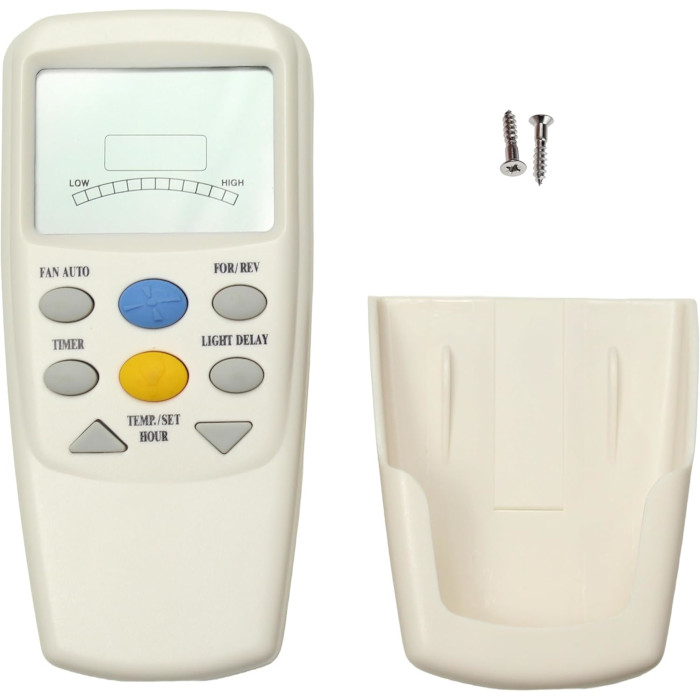
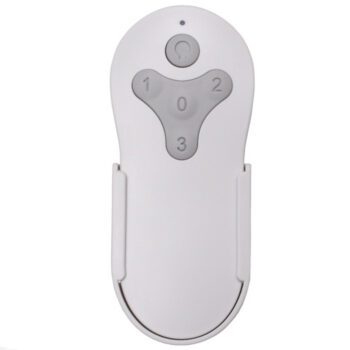
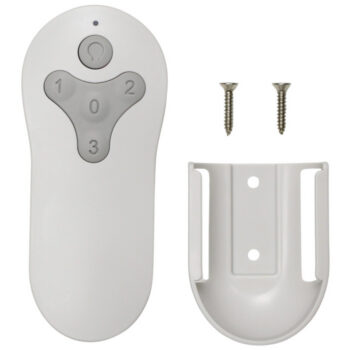
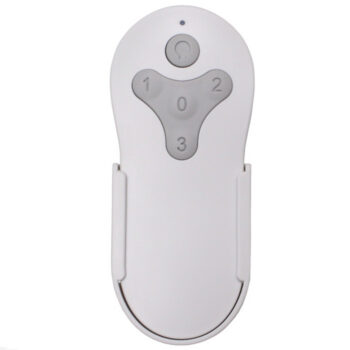
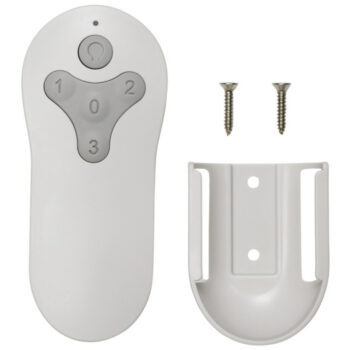
In the box: UC7096T replacement remote with reverse key, plus a wall bracket and two screws.
Product Details
| Part Number | UC7096T |
|---|---|
| Fan Brand | Hampton Bay |
| Product Type | Ceiling Fan Remote |
| Made By | Comfort Direct |
| Condition | New |
| Frequency | 303 MHz band (302.739 MHz) |
| Pairing | 4 DIP switches in the battery compartment, 16 codes |
| Battery | Four 1.5V AAA (not included) |
| Fan speeds | High, medium, low and off |
| Light | On/off and dimming, down-light only |
| Direction | For/Rev reverse key (no Fan Timer key) |
| Thermostat | Fan Auto mode with LCD room temperature display |
| Warranty | 1 year |
| Availability | In stock |
| Ships | Same business day if ordered by 4 PM |
| Returns | 90 days on unused items |
Why Buy From FanRemotes.com?
- 1-Year WarrantyEvery product is covered against defects
- Same-Day ShippingIn-stock orders placed by 4 PM ship the same business day
- 90-Day Return PolicyBuy with confidence
- Real Remote Experts(816) 586-8457 · Mon–Fri, 8 AM – 5 PM CT
Frequently Asked Questions
How do I pair it with my fan?
Turn off power at the breaker, then set the 4 DIP switches inside the battery compartment to match your old remote or the receiver in the fan canopy. Put the batteries in, restore power and test.
Which receivers does it work with?
Thermostatic LCD-type receivers with four DIP switches, such as the UC7067FCRX and UC70960TX.
Is this the reverse version or the timer version?
This is the reverse version. It has a For/Rev key and no Fan Timer key. If your old remote has a Fan Timer key, order our timer version instead.
Can I change the code later?
Yes. Set a new pattern on the receiver and on the remote so they match again. That's also the fix if a neighbor's remote moves your fan.
Should the wall switch stay on?
Yes. The receiver in the fan needs power to hear the remote, so leave the wall switch on and use the remote for everything.
When will my order ship?
In-stock orders placed by 4 PM, Monday to Friday, ship the same business day.
What is your return policy?
You can return items within 90 days. Items must be unused and uninstalled, in their original packaging. No restocking fees. Please read our return policy before sending anything back. Questions? Call (816) 586-8457 or email info@fanremotes.com.
Is there a warranty?
Yes. Every product we sell comes with a 1-year warranty against defects. If it fails because of a defect, contact us and we’ll send a replacement.
Help & How-To Guides
- Hampton Bay Ceiling Fan Remote: DIP Switches, Pairing and Parts
- Ceiling Fan Remote Not Working? How to Find and Fix the Problem
- How to Pair a Ceiling Fan Remote: Every Method Explained
- Ceiling Fan Remote DIP Switch Settings: Find, Match and Change Them
- Lost Ceiling Fan Remote? How to Find the Right Replacement
Related products
-
TG52LW3D1RCS Harbor Breeze Ceiling Fan Remote Control Replacement
$26.95 Add to cart -
MZ44WW3LR Harbor Breeze Ceiling Fan Remote Control Replacement
$26.95 Add to cart -
MZ44MBLK3LR Harbor Breeze Ceiling Fan Remote Control Replacement
$26.95 Add to cart -
TR214B Harbor Breeze Ceiling Fan Remote Control Replacement
$26.95 Add to cart -
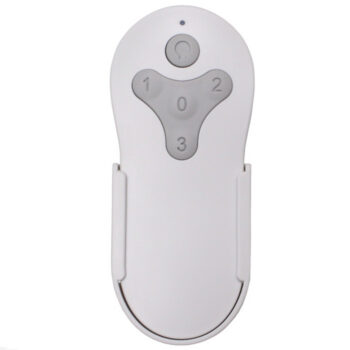
MZ44ORB3LR Harbor Breeze Ceiling Fan Remote Control Replacement
$26.95 Add to cart