
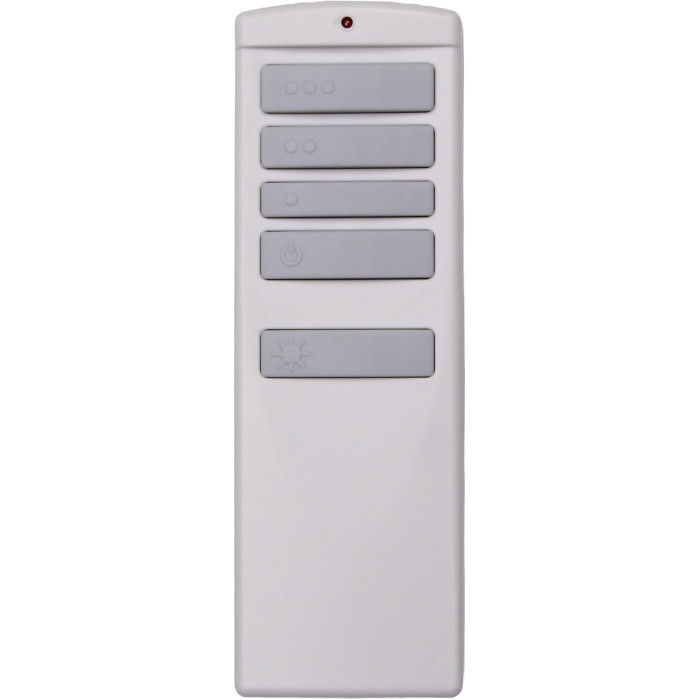
To pair a ceiling fan remote, first check its battery compartment. If it has DIP switches, set them to match the receiver. If it has a Learn, Set or Pair button, turn the fan's power off for about 10 seconds, turn it back on, and press the button within the pairing window, usually 30 to 60 seconds, until the fan or light responds.
Pairing, sometimes called syncing or programming, is how a ceiling fan’s receiver learns to listen to one particular remote. Until that link exists, a brand-new remote does nothing, no matter how fresh its battery is. The good news is that almost every fan uses one of a handful of methods, and once you know which one yours uses, the job takes a minute or two.
Which pairing method does my ceiling fan use?
Before touching the wall switch, open the battery door on your remote and look inside. What you find tells you which section of this page to follow:
- A row of tiny sliding switches (usually four) means a DIP-switch remote. There is nothing to “learn”; you match a pattern instead.
- A small button labeled Learn, Set or Pair means a learning-code remote. You press it shortly after restoring power.
- No switches and no special button usually means pairing is done by holding one or two of the normal buttons after power-up. The instructions that came with the remote or the fan’s manual will name them.
- A wall-mounted control that replaced a handheld remote pairs much like a remote, by code switches, a Set button, or both.
Still not sure? The part number on the back of the remote is the key to everything. Our page on finding your remote model number shows where to look, and our manuals page, fan remote instructions and manuals, may have the sheet for your model.
Method 1: Press the Learn button within seconds of restoring power
This is the most common method on newer fans, including most of the Harbor Breeze and Home Decorators Collection remotes we stock. The receiver only accepts a new remote for a short time after it powers up, so timing is everything.
- Put a fresh battery in the remote first, so you aren’t fumbling with it once the clock starts.
- Cut power to the fan using its wall switch or breaker. Leave it off for several seconds (around 10 seconds is a safe habit).
- Turn the power back on.
- Within the pairing window, press the Learn button. On many Harbor Breeze remotes the window is about 30 seconds; check your remote’s instructions for the exact time.
- Watch for confirmation. Depending on the model, the light may blink, the fan may start on low, or you may hear tones from the receiver.
Some models add a twist. On a few Home Decorators Collection remotes, a small slide switch inside the battery compartment must be set to a specific position before Learn will take. On the TR258B fan remote, a successful pair is signaled by the fan running on low while the light switches off.
Method 2: Hold a button combination after power-on
Some learning-code remotes have no dedicated Learn button. Instead, you hold one or two regular buttons during the pairing window. The steps are the same as Method 1, except for the button press:
- On the TR214D fan remote, the pairing press is a five-second hold on the 0 key, which turns the fan off, and two blinks from the light confirm it.
- On the TR326A fan remote, you press High and Low at the same time and keep them down for roughly five seconds; a fan running on low with its light out means it worked.
- Hunter documents several button combinations on different series of its remotes. Its official pairing article notes that the same pairing command both pairs and unpairs on many models, so pressing it twice can undo your work.
Hunter’s article also gives a much longer window than most brands, up to three minutes after power returns on many of the models it covers, though its older DIP-switch series allows only 30 seconds. Don’t assume every fan is that forgiving; most of the other learning remotes we carry give you 30 to 60 seconds.
Method 3: Match the DIP switches
DIP-switch fans skip the timing dance entirely. Both the remote and the receiver have a set of small switches, and the fan responds only when every switch on the remote matches the receiver. Four switches give 16 possible codes. This system is common on Hampton Bay and Minka-Aire fans and on older fans from many makers.
- Turn the fan off at the breaker if you need to look at the receiver in the canopy.
- Write down the up/down position of each switch, reading from your old remote if you still have it, or else from the receiver.
- Set the new remote’s switches to the exact same pattern with a pen tip or a small screwdriver.
- Install the battery, restore power and test every button.
Remotes such as the UC7083T fan remote work this way. One switch out of place is enough to stop the fan from responding, so check each one twice. The full walk-through, with tips on reading tiny switches and choosing a new code, is in our ceiling fan DIP switch settings guide.
Method 4: Press Set, then let the fan finish its setup run
Many DC-motor fans, including several Casablanca, Fanimation and Monte Carlo models, pair with a Set button but behave differently afterward. After a power cycle you have about 60 seconds to press Set. Then the fan begins a setup routine, spinning one way and then the other for several minutes (about five on the TR29 fan remote listing). Don’t touch anything while this happens. When the fan stops on its own, pairing is complete.
Method 5: Pairing a wall control with the fan’s receiver
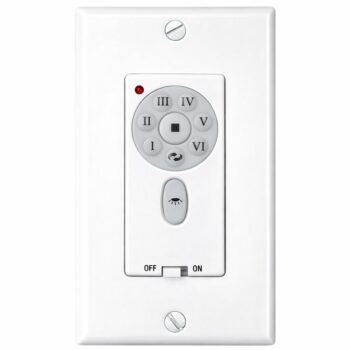
Battery-powered and hard-wired wall controls that talk to a receiver in the canopy pair in one of the ways above. Some use DIP switches only. Others, such as the TW30WH wall control, combine code switches with a Set button: you match the switches to the receiver if it has them, restore power, then press and hold Set within the time limit, after which the fan runs its back-and-forth setup.
Wall controls go into a wall box, which means wiring. Switch off the breaker before removing the old control, test that the power is off, and follow the wiring diagram supplied with the control. If you aren’t comfortable with that, the Electrical Safety Foundation International recommends using a qualified, licensed electrician. Our ceiling fan wall controls category lists the controls we stock.
Brand quick reference: how each brand usually pairs
This table describes what we see on the remotes we carry for each brand. Individual models can differ, so always follow the instructions for your exact number and use the brand guide for detail.
| Brand | Usual pairing method on our listings | Brand guide |
|---|---|---|
| Harbor Breeze | Learning code: Learn button or a held button, roughly 30 seconds after power-up | Harbor Breeze remote guide |
| Hampton Bay | Mostly 4 DIP switches; a few learn-button remotes | Hampton Bay remote guide |
| Home Decorators Collection | Mostly Learn button after power-up; some DIP-switch remotes | Home Decorators remote guide |
| Casablanca, Monte Carlo | Set button within about 60 seconds, then a several-minute setup run | Casablanca remote guide |
| Fanimation | Set-button remotes and wall controls with code switches | Fanimation remote guide |
| Minka-Aire | 4 DIP switches matched to the receiver | Minka-Aire remote guide |
| Hunter | Power off about 10 seconds, then a pair or fan button; some older models use DIP switches | Hunter remote guide |
Pairing didn’t work? Try these fixes
You missed the window
This is the usual culprit. Cut the power again, wait, restore it and press the button sooner. Keep the battery installed and the remote in hand before you flip the switch.
The fan has no power during pairing
The receiver can only listen while it has power. Make sure the wall switch is fully on after the power cycle, and on fans with pull chains set the speed chain to high and the light chain to on.
Another fan grabbed the code
If a second fan now answers your remote, switch that fan off at its wall switch, power-cycle the fan you want, and pair again.
The battery is weak
A remote can light its indicator and still be too weak to pair. A new battery from a fresh pack rules this out.
It is the wrong remote
No amount of re-pairing will make a remote work with a receiver it wasn’t built for. If the number on the new remote doesn’t match the number on the old one, that is the problem. Our ceiling fan remote not working guide helps you decide whether the remote or the receiver is at fault, and adding a remote to a fan that never had one covers fans with no receiver at all.
Order a remote that will pair the first time
Pairing only works between parts made for each other, so the best thing you can do is order the listing whose number matches the label on your old remote, character for character. Browse ceiling fan remotes or type your number into the search box at the top of any page. Not sure what you’re looking at? Text a photo of the back of your remote, or the inside of its battery door, to (816) 586-8457 or call the same number weekdays 8 AM to 5 PM Central. You can also email info@fanremotes.com. In-stock orders placed by 4 PM Central ship the same day, orders over $35 ship free, and every remote carries a 1-year warranty.
Shop the Parts in This Guide
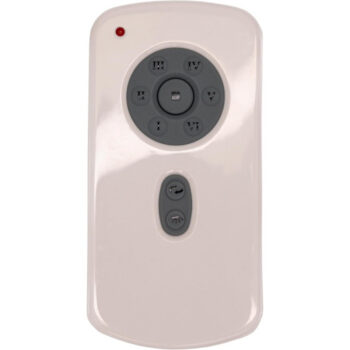
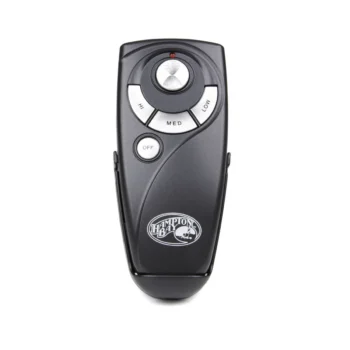
Frequently Asked Questions
Do I need to pair a new ceiling fan remote?
Usually yes. Learning-code remotes must be paired with the receiver after a power cycle, and DIP-switch remotes must have their switches set to match the receiver before they will work.
Can I use two remotes on one ceiling fan?
With DIP-switch fans, any matching remote set to the same code as the receiver will control it. With learning-code fans it depends on the receiver, so check the instructions for your model before counting on it.
Why does my fan beep when I turn the power on?
On some learning-code fans, the receiver sounds tones when power is restored to signal that its pairing window is open. Press the Learn button on your remote right after you hear it.
Do I have to re-pair after changing the battery?
On most fans the pairing is stored in the receiver, so a battery change shouldn't undo it. If yours stops working after a swap, double-check the battery orientation, then re-pair as a next step.
How long does the pairing window last?
It varies by model. Many Harbor Breeze remotes allow about 30 seconds, several DC-motor remotes allow about 60 seconds, and Hunter describes up to three minutes on some of its models.