
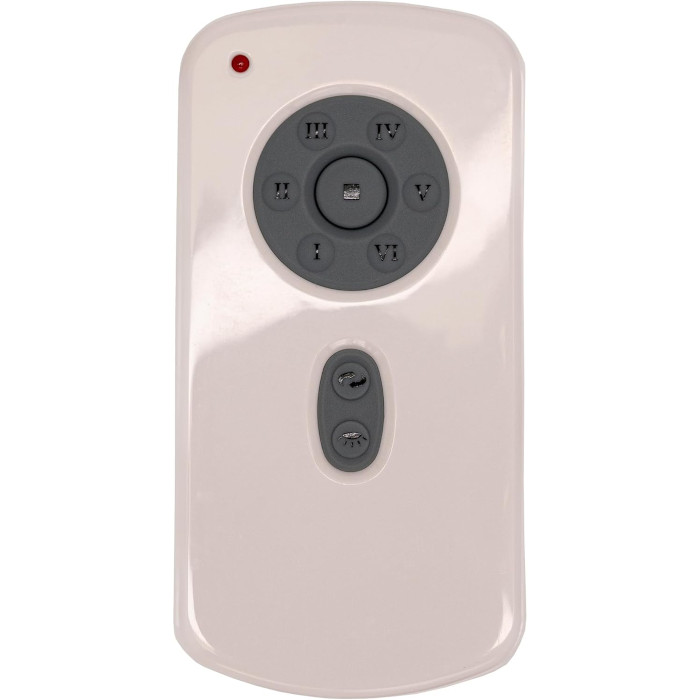
Most Casablanca handhelds we carry, like the RH787T, use learning code: cut power to the fan, restore it, press Set within 60 seconds, then let the fan spin both ways for about five minutes until it stops. Match the exact part number on your old remote, or the fan model number if your receiver is listed that way.
Casablanca fans are built to run for decades, which is why so many homeowners end up hunting for a new handheld or canopy receiver long after the original box is gone. This guide covers who makes Casablanca today, how to read the numbers on your parts, how the learning-code handheld we carry pairs, and what to check when the fan stops listening.
Who makes Casablanca ceiling fans now?
Casablanca was started by Burton A. Burton in Pasadena, California, and the first Casablanca fan arrived in 1974 as a belt-driven fan for commercial spaces. In 1996 the brand was purchased by Hunter Fan Company, and it is now based in Memphis, Tennessee, alongside Hunter. That shared ownership shows up when you need factory help: Casablanca owner support lives inside Hunter’s help center, on its Casablanca Fans consumer support page.
Sharing a parent company does not make the two brands’ controls the same, though. A Hunter handheld and a Casablanca handheld are separate products with separate part numbers. If you also own Hunter fans, our Hunter ceiling fan remote guide covers those on their own terms.
Finding the right number on Casablanca parts
Our Casablanca listings come in two flavors, and knowing which one you need saves time:
| Listing named by | Where that number lives | Example in our store |
|---|---|---|
| Remote part number | Printed on the back of the handheld or inside its battery compartment on most remotes | RH787T Casablanca fan remote |
| Fan model number | On the fan’s label (often on the motor housing or mounting bracket), in the owner’s manual, or on the carton | Receivers such as the C31U11B Casablanca fan receiver or the 59105 Casablanca receiver |
If the fan label is hard to read from the floor, a phone photo taken from a ladder usually picks up the small print. Our step-by-step guide to finding your remote model number walks through the other common hiding spots.
How to pair the RH787T Casablanca remote
The RH787T ceiling fan remote is a learning-code handheld made for DC-motor fans. It has no code switches to set. The receiver learns the remote during a short window right after power comes back on. Here is the routine in our own words:
- Kill power to the fan with the wall switch or breaker, then bring it back.
- Within a minute of the power returning, press the Set button on the handheld.
- Step back and wait. The fan will spin one direction, then the other, for roughly five minutes while it finishes setting itself up.
- When the blades come to rest on their own, pairing is done.
- Run through off, every speed, reverse and the light to confirm everything answers.
Before you put the battery door back, look for the small light-mode switch inside the compartment. Choose the dimming position if your fixture uses incandescent bulbs; choose on/off if you run LED or CFL bulbs that are not made to dim. The RH787T ships with a wall mount bracket, so you can park it next to the light switch. It does not include a battery.
For a broader look at how learning-code pairing differs from code-switch remotes, see how to pair a ceiling fan remote.
Swapping a Casablanca canopy receiver
When the handheld is fine but the fan still ignores it, the receiver tucked in the canopy may be the failed part. Our Casablanca receiver listings are each named for one part number or one Casablanca fan model number; they appear in the product grid below this guide and in our ceiling fan receiver category. Each receiver listing states that the handheld is sold separately.
The general flow: lower the canopy, photograph the old receiver’s connections before unhooking anything, then wire the new receiver to match by following its labeled leads and diagram. Fit it back in the canopy, restore the breaker, and within 60 seconds press Set on the handheld so the fan can run its back-and-forth setup. If it does not take, cycle the power again and press Set a little sooner. Our ceiling fan receiver replacement guide goes deeper on diagnosing a dead receiver.
Casablanca remote problems and quick fixes
The fan learned the code, but the light acts strangely
Flicker, buzzing or a light that will not dim smoothly usually points to the light-mode switch in the battery compartment. Non-dimmable LED bulbs on the dimming setting are the classic cause. Move the switch to on/off, or swap to bulbs rated for dimming.
Nothing happens when you press Set
The learning window is short. Cycle the power again and press Set right away instead of waiting. A weak battery can also leave the handheld too faint to be heard, so start with a fresh one; our remote battery guide has tips.
Another fan in the house reacts too
Fans on the same circuit can both be listening during a power cycle. Switch off the other fan at its own control before you pair, so only the intended receiver learns the new handheld.
Reverse runs, but the fan wobbles or clicks
Stop using it and check the mounting. In 2015 the CPSC announced a recall of certain Casablanca ceiling fans made in 2013 and 2014 because the motor and blades could separate from the adapter in reverse updraft mode. If your fan is from that era, check the notice before running reverse. For anything else, see why a ceiling fan remote stops working.
Ordering the right Casablanca part
Bring the exact number with you: the part number from your old handheld, or the fan model number from the label if your receiver is listed that way. Do not settle for a number that is only close, because similar-looking Casablanca parts are not automatically a match. If you cannot read anything, text a photo of the old remote or the fan label to (816) 586-8457, or email info@fanremotes.com, and we will point you to the listing that carries your number. We answer Monday through Friday, 8 AM to 5 PM Central.
In-stock orders placed by 4 PM Central leave the same day, shipping is free over $35, and every remote has a 1-year warranty. If something is still in its uninstalled state, you have 90 days to send it back with no restocking fee; the details are on our returns page. Browse every Casablanca listing on the Casablanca brand page.
Popular Picks
All Casablanca Parts We Stock (24)
Find the number printed on your old part (back of the remote or inside the battery cover; on receivers, the label on the side) and pick the listing with that exact number.
Remotes (1)

Receivers (23)
 5910559105 Ceiling Fan Receiver for Casablanca$62.95
 5910659106 Ceiling Fan Receiver for Casablanca$62.95
 5910759107 Ceiling Fan Receiver for Casablanca$62.95
 5914359143 Ceiling Fan Receiver for Casablanca$62.95
 5914459144 Ceiling Fan Receiver for Casablanca$62.95
 5916459164 Ceiling Fan Receiver for Casablanca$62.95
 5916559165 Ceiling Fan Receiver for Casablanca$62.95
 5951059510 Ceiling Fan Receiver for Casablanca$62.95
 5951159511 Ceiling Fan Receiver for Casablanca$62.95
 5951259512 Ceiling Fan Receiver for Casablanca$62.95
 5951859518 Ceiling Fan Receiver for Casablanca$62.95
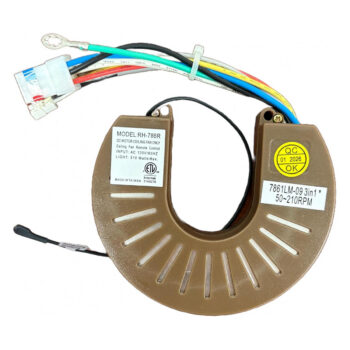
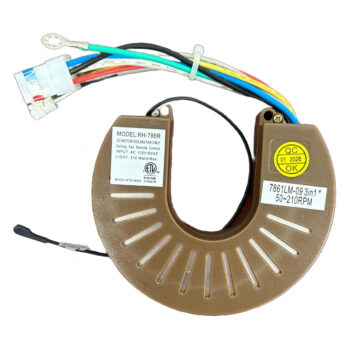
 7861LM-097861LM-09 Ceiling Fan Receiver for Casablanca$62.95
 C31U11BC31U11B Ceiling Fan Receiver for Casablanca$62.95
 C31U45BC31U45B Ceiling Fan Receiver for Casablanca$62.95
 C31U546BC31U546B Ceiling Fan Receiver for Casablanca$62.95
 C45G11BC45G11B Ceiling Fan Receiver for Casablanca$62.95
 C45G45BC45G45B Ceiling Fan Receiver for Casablanca$62.95
 C45G695BC45G695B Ceiling Fan Receiver for Casablanca$62.95
 C66U11BC66U11B Ceiling Fan Receiver for Casablanca$62.95
 C66U45BC66U45B Ceiling Fan Receiver for Casablanca$62.95
 C66U546BC66U546B Ceiling Fan Receiver for Casablanca$62.95
 G105301000G105301000 Ceiling Fan Receiver for Casablanca$62.95
 RH-786RRH-786R Ceiling Fan Receiver for Casablanca$62.95
No match on this page. Search the whole store or text us a photo.
Frequently Asked Questions
Is Casablanca owned by Hunter?
Yes. Hunter Fan Company bought Casablanca in 1996, and Casablanca owner support is now handled through Hunter's help center.
Does the RH787T come with a battery?
No. The listing ships with the handheld, a wall mount bracket and instructions, and the battery is sold separately.
How long does Casablanca remote pairing take?
Plan on about five minutes. The fan runs in both directions during setup and stops on its own when it has learned the remote.
Can I pair two Casablanca fans in the same room?
Pair each fan separately, with the other fan switched off at its own control, so only one receiver is listening during each setup.
What if my old Casablanca remote has no readable number?
Look up the fan model number on the fan's label or manual, or text a photo of the remote and fan to (816) 586-8457 and we will help you identify the right listing.