
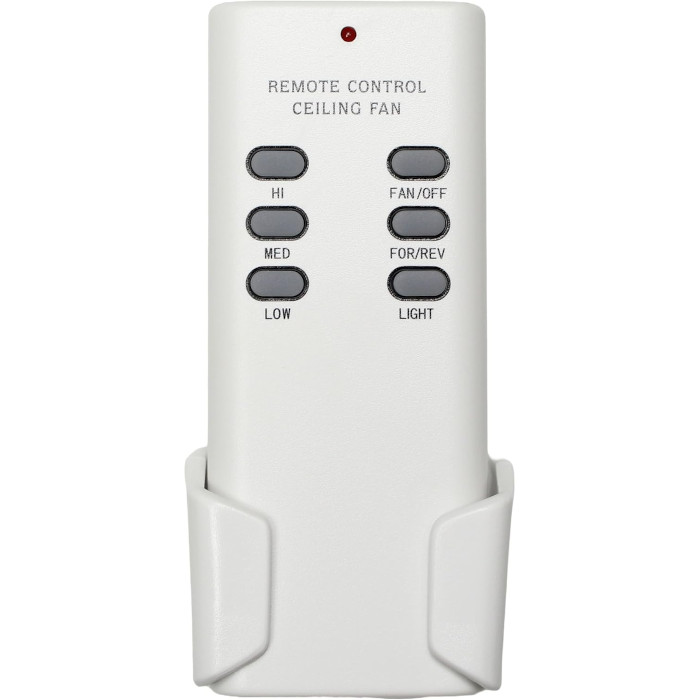
Minka-Aire handhelds we stock use four DIP code switches. Turn off the breaker, read the switch pattern on the canopy receiver (or your old remote), set the new remote to the identical pattern, add the battery and test. There is nothing to program. Wall controls are hard-wired and need no pairing at all.
Minka-Aire controls are refreshingly simple. Nearly everything we carry for the brand falls into one of two camps: a handheld that you match to the fan by flipping tiny code switches, or a hard-wired slide control that sits in the wall box. Nothing has to be “learned” or programmed. Once you know which camp your fan is in, the job is usually ten minutes of careful matching.
Minka-Aire at a glance
Minka-Aire is the ceiling fan line of the Minka Group, a lighting company based in Corona, California, whose brand roster also includes Minka-Lavery and George Kovacs. A few of the older fans in our catalog carry the shorter “Aire” name on their labels, and we list remotes for those by the fan’s model number.
Which Minka-Aire control do you have?
| Control style | How it talks to the fan | Power | Listings we stock |
|---|---|---|---|
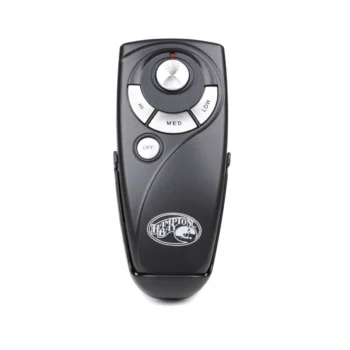
| Handheld, 9V | 4 code (DIP) switches, 16 possible codes | One 9V battery, not included | F569 Minka-Aire fan remote; other F569 fan models each have their own listing |
| Handheld, 12V | 4 DIP switches set to the canopy receiver | One 12V A23, not included | remote for the 04621 Aire fan, remote for the 04612 Aire fan |
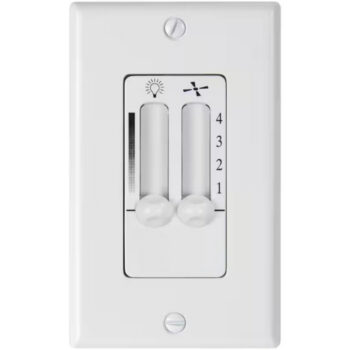
| Wall control with light | Hard-wired, dual slide for fan and light | House wiring | WC110 Minka-Aire wall control, WC116 wall control |
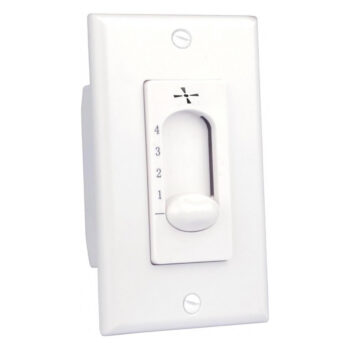
| Wall control, fan only | Hard-wired, 4 speeds, no light or reverse | House wiring | WC115 Minka-Aire fan control |
Both handhelds offer three fan speeds plus off and light dimming. The wall controls give four speeds; the WC110 and WC116 add a full-range slide dimmer for the light, while the WC115 handles the fan only.
Where to look for the number
On a handheld, check the back case and the inside of the battery door first. On a wall control, the number is typically printed on the control body, so you may need to remove the wall plate to see it. If your listing is named after the fan, as the F569 and 04621 remotes are, the fan model is on the label on the fan itself, in the instruction manual, or on the original carton. Our model number guide shows the usual label spots.
Setting the DIP switches on a Minka-Aire remote
Minka-Aire’s own manuals keep the instruction short: if the fan will not start, they say to check that the switches in the transmitter and receiver are set to the same code (see the F565 owner’s manual for an example). Here is how to do that with a new handheld:
- Shut off power to the fan at the breaker panel. A wall switch alone is not enough when you are about to open the canopy.
- Find the receiver in the canopy and write down the up/down position of its four code switches. If you still have the old handheld, you can copy its switches instead and skip the ladder.
- Open the new remote’s battery door and set its four switches to the identical pattern, one switch at a time.
- Install the battery: a 9V for the F569 fan remotes, a 12V A23 for the 04621-series remotes. Neither is included.
- Restore power and try each speed and the dimmer. If anything is off, recheck the switch pattern before anything else.
The full background on code switches, including how to pick a fresh pattern, is in our ceiling fan DIP switch guide.
Installing a Minka-Aire slide wall control
The WC110 and WC116 dual-slide controls replace an existing wall control in the switch box. The routine, paraphrased from the listing instructions:
- Turn the breaker off before you touch the old control.
- Pull the fan’s chain to high and turn the light chain on, then leave them that way so the wall control has full range.
- Confirm the fan and the light each have their own wire going up to the ceiling. If only one wire feeds both, more wiring is required before a dual control can run them separately.
- Join the leads to the matching house wires with wire nuts, connect ground if a ground is present, mount the control, reuse your wall plate, and restore power.
If you would rather keep the wall switch and add a handheld instead, compare the two approaches in wall control vs remote.
Minka-Aire troubleshooting
The fan turns on or changes speed by itself
With code-switch remotes, a neighbor’s fan or another remote on the same pattern can trigger yours. Minka-Aire’s manual points to interference and recommends changing the code on both the transmitter and the receiver. Pick any new pattern and set it identically on both. More causes are covered in why a ceiling fan turns on by itself.
Two Minka-Aire fans in one room respond together
That means they share a code. Give each receiver and its remote their own pattern.
The remote works only up close
Swap the battery first. A tired 9V or A23 often gives just enough signal to work at arm’s length. Our ceiling fan remote battery guide covers testing and storage.
The wall control hums
A buzz from the fan motor is common when an ordinary light dimmer is used to run a fan; ENERGY STAR notes that a conventional dimmer switch can make a ceiling fan motor hum. Use a control made for fans, like the slide controls above.
Getting the correct Minka-Aire part the first time
Write down the number from your old control or the fan label and look for a listing with that exact number in its title. A near match is not a match. Unsure? Email info@fanremotes.com or text photos of the old remote and the fan label to (816) 586-8457, Monday through Friday, 8 AM to 5 PM Central. In-stock orders placed before 4 PM Central ship that day, orders over $35 ship free, and remotes carry a 1-year warranty. Uninstalled items can come back within 90 days with no restocking fee. Every listing for the brand is on our Minka-Aire brand page.
Popular Picks

All Minka-Aire Parts We Stock (19)
Find the number printed on your old part (back of the remote or inside the battery cover; on receivers, the label on the side) and pick the listing with that exact number.
Remotes (10)
 0461204612 Ceiling Fan Remote Control for Aire$29.95
 0462104621 Ceiling Fan Remote Control for Aire$29.95
 0462204622 Ceiling Fan Remote Control for Aire$29.95
 0462304623 Ceiling Fan Remote Control for Aire$29.95
 0462404624 Ceiling Fan Remote Control for Aire$29.95
 F569F569 Ceiling Fan Remote Control for Minka-Aire$27.95
 F569BSF569BS Ceiling Fan Remote Control for Minka-Aire$27.95
 F569BSDWF569BSDW Ceiling Fan Remote Control for Minka-Aire$27.95
 F569ORBF569ORB Ceiling Fan Remote Control for Minka-Aire$27.95
 F569WHF569WH Ceiling Fan Remote Control for Minka-Aire$27.95
Wall Controls (9)
 F510L-CLF510L-CL Ceiling Fan Wall Control for Minka-Aire$29.95
 F510L-WHF510L-WH Ceiling Fan Wall Control for Minka-Aire$29.95
 F624-ABDF624-ABD Ceiling Fan Wall Control for Minka-Aire$27.95
 F624-CLF624-CL Ceiling Fan Wall Control for Minka-Aire$27.95
 F624-ORBF624-ORB Ceiling Fan Wall Control for Minka-Aire$27.95
 F624-WHFF624-WHF Ceiling Fan Wall Control for Minka-Aire$27.95
 WC110WC110 Ceiling Fan Wall Control For Minka-Aire$29.95
 WC115WC115 Ceiling Fan Wall Control for Minka-Aire$27.95
 WC116WC116 Ceiling Fan Wall Control For Minka-Aire Fans$29.95
No match on this page. Search the whole store or text us a photo.
Frequently Asked Questions
Do Minka-Aire remotes need to be programmed?
The handhelds we carry do not. You set four code switches to match the receiver and the remote works as soon as the battery is in.
What battery does a Minka-Aire remote take?
It depends on the remote. Remotes for F569 fans use one 9V battery, and the remotes for the 04621-series Aire fans take one 12V A23. Batteries are not included.
How many codes can a 4-switch Minka-Aire remote use?
Four on/off switches give 16 possible patterns, which is plenty to keep neighboring fans apart.
Does the WC115 control the fan light?
No. The WC115 is a four-speed fan-only control with no light dimmer and no reverse.
Will a dual-slide wall control work if there is only one wire to the fan?
Not by itself. The fan and light each need their own wire from the wall box, so a single shared wire requires additional wiring first, ideally by an electrician.