
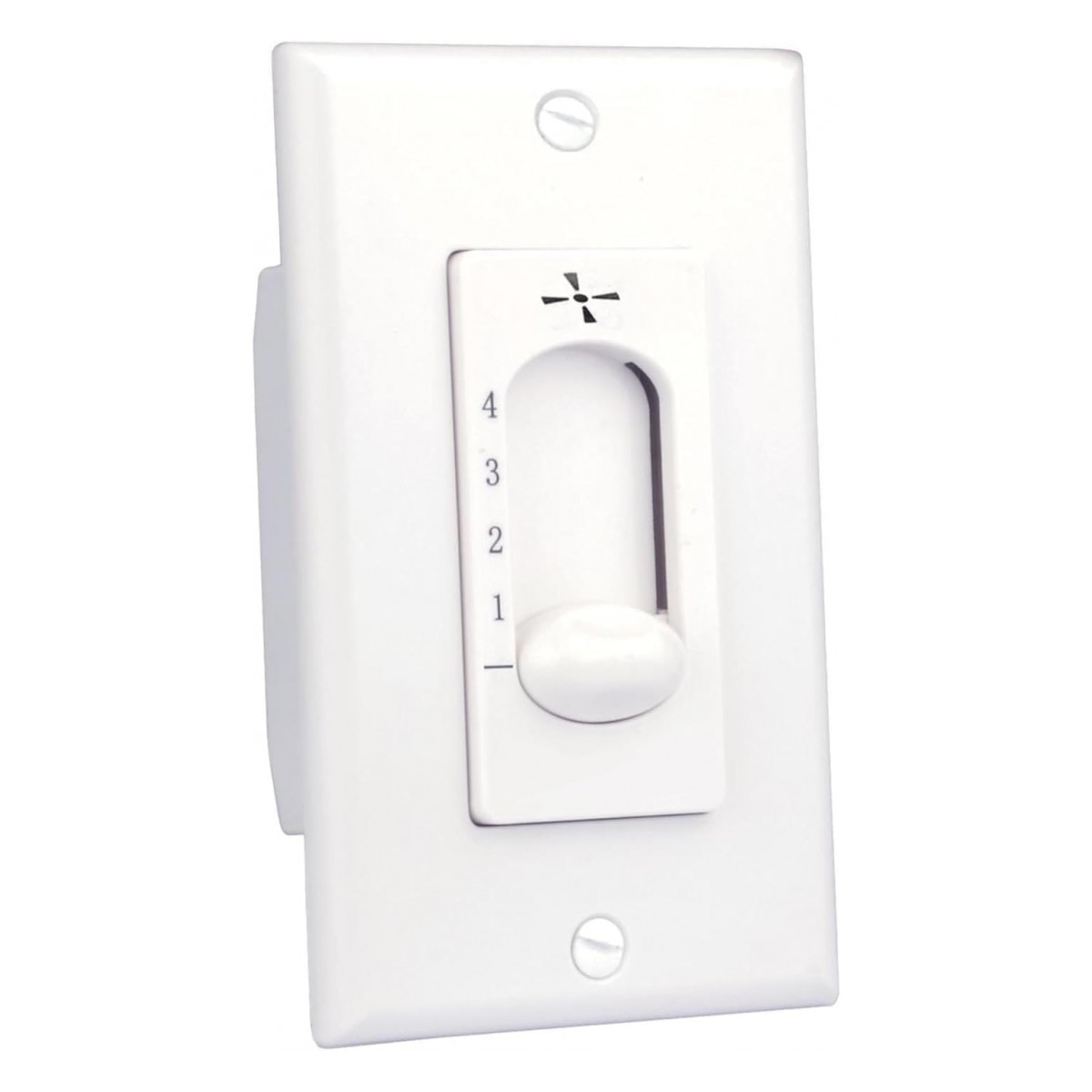
Most Progress Lighting AirPro fans are run from a wall control rather than a handheld remote. There are three styles: a four-speed fan-only control, a four-speed control with a light dimmer, and a wall transmitter that talks to a receiver in the fan. Match the exact number on your old control or fan label before ordering.
People searching for a Progress Lighting fan remote are often surprised to learn that most of what controls these fans lives on the wall, not in a hand. Many Progress Lighting AirPro fans are run from wall controls, and every Progress Lighting part we stock is one. This guide sorts out the styles, explains the speed numbering that trips people up, and covers installation safety.
About Progress Lighting and AirPro fans
Progress Lighting is a residential lighting brand whose ceiling fans are branded as the AirPro collection. For years it belonged to Hubbell; Hubbell sold the business to the Los Angeles private equity firm Kingswood Capital Management, a deal completed in the first quarter of 2024. The fans already on your ceiling are unaffected by the ownership change. What matters for a replacement is the number on your existing control or fan.
Progress Lighting wall control styles
We carry three kinds. They look similar on the wall but work very differently behind it.
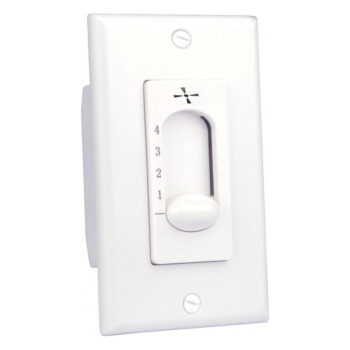
1. Four-speed fan control, no light
The P2613-30 Progress Lighting fan control is a hard-wired speed control with four speeds plus off and no light function. It is wired straight into the switch box.
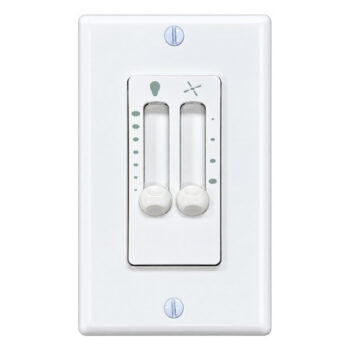
2. Four-speed fan control with a full-range dimmer
This style adds a light dimmer rated up to 300 watts, including dimmable LEDs. Several of our listings are this style, each named for one specific part number or AirPro fan model; one example is the AirPro four-speed fan and dimmer wall control. You will find the rest in the product grid below.
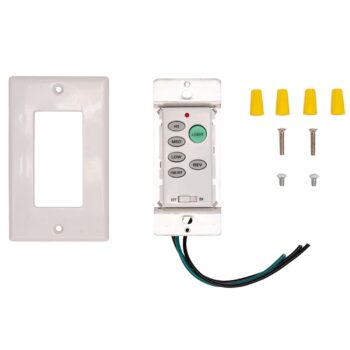
3. Wall transmitter for a fan with a built-in receiver
Some AirPro fans have a receiver in the canopy. For those, the wall control sends commands to that receiver: three speeds (low, medium, high) plus off, and light on/off on fans that have a light. No receiver comes with it, since it relies on the one your fan already has. These listings are named by fan model, for example the P2505 AirPro wall control, the P2507 AirPro wall control and the P2527 AirPro wall control.
| Style | Speeds | Light | Needs a receiver in the fan? |
|---|---|---|---|
| Fan-only control | 4 + off | None | No |
| Fan and dimmer control | 4 + off | Full-range dimming, up to 300 W | No |
| Receiver-based wall control | Low, medium, high + off | On/off | Yes, the one already installed |
Not sure which you have? If your fan has a receiver in its canopy, it is the third type. If the control is hard-wired straight to the fan’s motor wires, it is one of the first two. Our wall control vs remote guide explains the difference in more detail.
Speed 1 is the fastest
On the four-speed Progress Lighting controls, the positions run backwards from what many people expect: position 1 is the fastest and position 4 is the slowest. If your fan seems to “slow down” as you turn the control up, it is working normally.
Finding the number on a Progress Lighting control
The part number is usually printed on the body of the control, so take off the wall plate (with the breaker off) to read it. If your listing is named by fan model, check the fan’s label, the instruction manual, or the box. Our model number guide shows common label spots. You can also skip the hunting and text a photo of the control and fan label to (816) 586-8457.
Installing a four-speed Progress Lighting control
- Switch off the breaker and verify the power is dead.
- Remove the old control and note how each wire was connected; a photo helps.
- Using the wire nuts supplied, connect each lead of the new control to its matching wire, as the instructions show.
- Press the wiring back into the box, fasten the control, and add the wall plate.
- Turn the breaker back on, then pull the fan’s chain to its high setting.
The receiver-based wall controls set up with the receiver already in your fan. Follow the instructions that come with the control, or the remote section of your fan’s manual.
Progress Lighting fan control troubleshooting
The fan motor hums
Hum often shows up when a fan is run from a standard light dimmer instead of a fan speed control. ENERGY STAR notes that a conventional dimmer switch can make a ceiling fan motor hum. Use a control made for fan speed.
LED bulbs flicker on the dimmer
The dimmer handles dimmable LEDs; bulbs that are not marked dimmable may flicker or buzz. Our ceiling fan light troubleshooting guide has more on bulbs and light kits.
The receiver-based control does nothing
Confirm the fan actually has a receiver and that power reaches the fan. If the receiver has failed, the control cannot reach it; see replacing a ceiling fan receiver.
Changing direction for the season
None of these wall control listings include a reverse button, so on most AirPro fans you change direction with the switch on the motor housing, with the fan stopped and the power off. ENERGY STAR recommends running a ceiling fan at low speed in the clockwise direction in winter. Our fan direction guide covers summer too.
Choosing your Progress Lighting replacement
Order the listing that shows the same number you found on your control or fan, with no substitutions. If you cannot decide between the fan-only, dimmer and receiver-based styles, email info@fanremotes.com or text a photo to (816) 586-8457 (Monday through Friday, 8 AM to 5 PM Central) and we will tell you which listing carries your number. In-stock orders placed by 4 PM Central ship the same day, with free shipping over $35, and uninstalled items can be returned within 90 days with no restocking fee. You can also see every match for the brand with a Progress Lighting search of our store or browse all ceiling fan wall controls.
Popular Picks
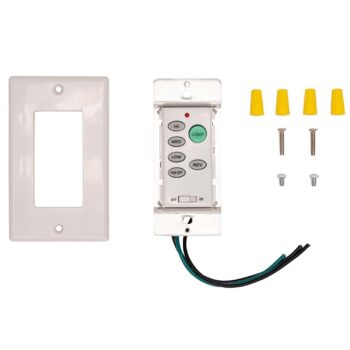
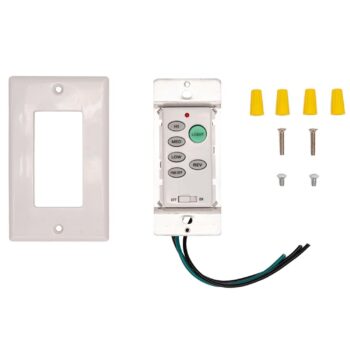
All Progress Lighting Parts We Stock (15)
Find the number printed on your old part (back of the remote or inside the battery cover; on receivers, the label on the side) and pick the listing with that exact number.
Wall Controls (15)
 P2501-09P2501-09 Ceiling Fan Wall Control for Progress Lighting$29.95
 P2501-143P2501-143 Ceiling Fan Wall Control for Progress Lighting$29.95
 P2501-15P2501-15 Ceiling Fan Wall Control for Progress Lighting$29.95
 P2501-20P2501-20 Ceiling Fan Wall Control for Progress Lighting$29.95
 P2501-30P2501-30 Ceiling Fan Wall Control for Progress Lighting$29.95
 P2501-30WP2501-30W Ceiling Fan Wall Control for Progress Lighting$29.95
 P2505P2505 Ceiling Fan Wall Control for Progress Lighting$39.95
 P2506P2506 Ceiling Fan Wall Control for Progress Lighting$39.95
 P2507P2507 Ceiling Fan Wall Control for Progress Lighting$39.95
 P2514P2514 Ceiling Fan Wall Control for Progress Lighting$39.95
 P2527P2527 Ceiling Fan Wall Control for Progress Lighting$39.95
 P2528P2528 Ceiling Fan Wall Control for Progress Lighting$39.95
 P2613-30P2613-30 Ceiling Fan Wall Control for Progress Lighting$29.95
 P2630-30P2630-30 Ceiling Fan Wall Control for Progress Lighting$29.95
 P2631-30P2631-30 Ceiling Fan Wall Control for Progress Lighting$39.95
No match on this page. Search the whole store or text us a photo.
Frequently Asked Questions
Do you sell handheld remotes for Progress Lighting fans?
The Progress Lighting listings we carry are all wall controls. If your AirPro fan has a receiver in the canopy, one of our receiver-based wall controls may be listed under your fan's model number.
Why is position 1 the highest speed on my Progress Lighting control?
That is how these four-speed controls are numbered: 1 is the fastest and 4 is the slowest.
Can the dimmer control run LED bulbs?
Yes, as long as they are dimmable LEDs. The dimmer is rated up to 300 watts.
Does the receiver-based wall control come with a receiver?
No. It relies on the receiver that is already in your AirPro fan.
Who owns Progress Lighting now?
Hubbell sold Progress Lighting to Kingswood Capital Management in early 2024.