
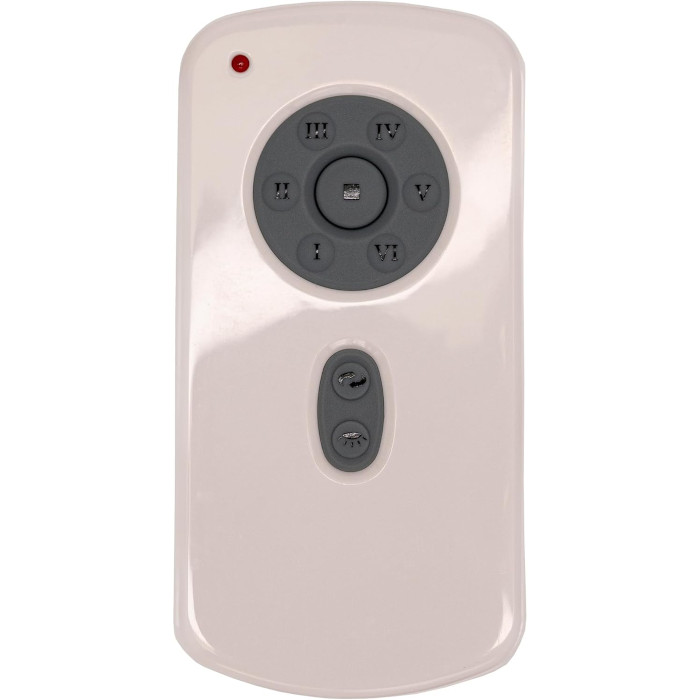
Ceiling fans should spin counterclockwise in summer to push air down and create a cooling breeze, and clockwise at low speed in winter to push warm air from the ceiling back into the room. Change direction with the slide switch on the motor housing, the reverse button on the remote, or a reverse module on fans that use one.
Twice a year, a lot of people go hunting for the little switch that makes a ceiling fan spin the other way. It’s worth the trouble: the right direction makes the fan feel noticeably cooler in summer and helps even out warm air in winter. Here’s which way to set it, how to tell which way it’s turning now, and what to do when the reverse feature on your remote has stopped working.
Which way should a ceiling fan turn in summer?
Counterclockwise, as you look up at the fan from below. The U.S. Department of Energy’s Energy Saver guide says: “In the summer, operate the ceiling fan in a counterclockwise direction.”
Spinning that way, the blades push air straight down. The moving air passes over your skin and makes the room feel cooler than the thermostat says. The same Energy Saver page states that a ceiling fan will let you raise the thermostat setting about 4°F with no reduction in comfort. It also reminds readers to switch ceiling fans off when they leave a room, because a fan cools people, not empty space.
Which way should a ceiling fan turn in winter?
Clockwise, on a low speed. ENERGY STAR’s ceiling fan page advises: “In the winter, operate the ceiling fan at low speed in the clockwise direction.” Running clockwise produces a gentle updraft that pushes warm air collected near the ceiling down into the room, without creating the chilly breeze you’d feel in summer mode. Energy Saver also says to reverse the fan to clockwise for winter.
How do I tell which way my fan is spinning?
“Clockwise” can be confusing when you’re craning your neck, so use one of these quick checks:
- Watch the blades. Stand directly under the fan, look up and follow one blade. If it moves the way a clock’s hands move, the fan is going clockwise.
- Feel the air. Run the fan on medium or high for a moment and stand beneath it. A strong breeze on your face means it’s pushing air down (summer setting). Little or no direct breeze means it’s pulling air up (winter setting).
Three ways ceiling fans change direction
How you reverse a fan depends on how it was built. There are three common setups, and many fans only have one of them.
| Method | Where it is | What to know |
|---|---|---|
| Reverse switch on the motor | A small slide switch on the motor housing, often just above the blades | Fan must be stopped first; needs a ladder |
| Reverse button on the remote | A dedicated button, often marked with arrows or REV | Only works if the fan and receiver support remote reverse |
| Reverse key on a wall control | A button on a remote-style wall control | Works like the remote button; same receiver requirement |
Using the switch on the motor housing
- Turn the fan off and wait until the blades come to a complete stop.
- Find the slide switch on the motor housing. On many fans it sits on the side of the housing, between the blades and the light kit.
- Slide it to the other position.
- Turn the fan back on and check the airflow.
Using the reverse button on a remote
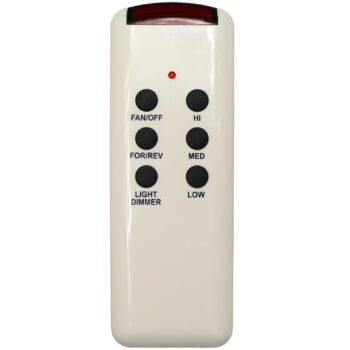
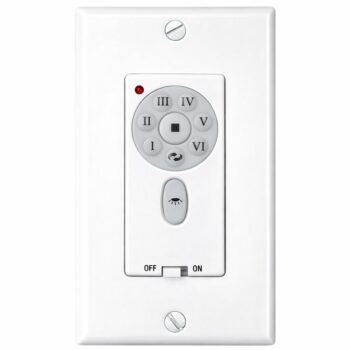
Fans built for remote reverse have it wired through the receiver, so a single press changes direction. Remotes we carry with a reverse button include the RH787T Casablanca remote, the TR29 Fanimation remote, the SR600 Emerson remote with one-touch reverse, and the CHQ8BT7053T Hampton Bay remote. For a wall-mounted option, the TW30WH Fanimation wall control has a reverse key too; if you’re weighing a wall unit against a handheld, see wall control vs. remote. Each listing is for the exact number shown, so match the number on your current remote or control.
Many fans coast to a stop before they start turning the other way, so give a reverse press several seconds to take effect.
Ceiling fan remote reverse button not working?
If every other button works and only reverse has quit, work through these:
- Was reverse ever on the remote? Many fans only reverse at the motor switch. A replacement remote can’t add a feature the fan was never built with. Some remote-and-receiver kits, such as the SR400 Emerson remote and receiver kit, say plainly that direction is set with the switch on the fan motor.
- Is the fan reaching a stop? Give it time. Pressing reverse repeatedly can confuse the sequence.
- Is the battery weak? A weak battery can make any button hit-or-miss, reverse included. Our ceiling fan remote battery guide covers the signs.
- Is the reverse module failing? Some fans use a separate plug-in module for direction (see below).
- Is the receiver failing? When reverse and other functions are both erratic, the receiver is a candidate. See replacing a ceiling fan receiver.
What is a ceiling fan reverse module?
On some Hampton Bay fans, remote-controlled direction is handled by a small module that plugs in inside the switch housing or canopy, separate from the main receiver. If the fan runs and the light works but the reverse button does nothing, that module may be the part that failed. Replacing it is usually a plug-out, plug-in job:
- Switch the fan off at the breaker.
- Get to the module through the switch housing or the canopy, whichever your fan uses.
- Photograph the connection, unplug the old module and plug in the new one the same way.
- Close up, restore power, let the fan stop and test reverse.
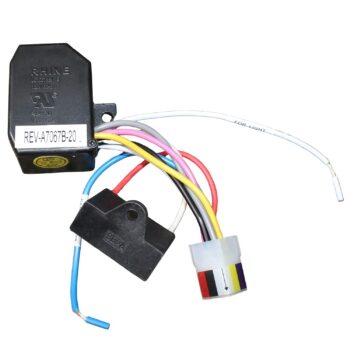
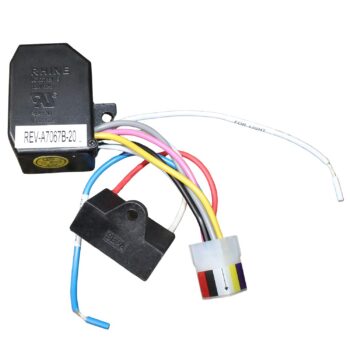
Reverse modules we stock include the UC7067REV reverse module and the UC7067REVB reverse module; order by the number printed on the module you remove. If you aren’t comfortable opening the fan, a licensed electrician can handle the swap.
When should I switch my ceiling fan direction?
There’s no official date on the calendar. The simplest rule is to follow your thermostat: the week you switch the system from cooling to heating, set the fans to clockwise and low; when you switch back to cooling, return them to counterclockwise. In mild spring and fall weather, use whichever direction feels better. A breeze on a warm afternoon is counterclockwise territory even if the furnace ran that morning.
Tie the job to another seasonal chore so it actually happens, and do every fan in the house at once. If one of your fans has no switch on the motor and no reverse button anywhere, check its manual before assuming something is broken: a few fan designs don’t reverse at all. Brand pages such as our Hampton Bay remotes and parts and Casablanca remotes collections let you browse by brand when you need a replacement remote with reverse.
Does reversing the fan really save money?
The savings come from what you do with the thermostat, not from the switch alone. Energy Saver’s figure is about 4°F of thermostat headroom in cooling season with no loss of comfort. A fan only helps if you take advantage of it by adjusting your thermostat, and if you switch the fan off in empty rooms. ENERGY STAR also notes that its certified fans with lights are 60% more efficient than conventional fan and light units. For winter, ENERGY STAR describes what the clockwise setting does but does not publish a savings figure, so we won’t quote one either.
Ordering a remote that keeps your reverse button
If your fan reverses from the remote today, keep it that way by replacing the remote with one whose number matches the old one exactly. Exact-match remotes use the receiver you already have, so the reverse button, speeds and light functions carry over. The comparison of universal and exact-match remotes explains why a universal kit may leave you with the motor switch again. If you can’t read the number, our model number help page shows where to look, or text a photo of the remote to (816) 586-8457. Browse the full ceiling fan remote collection; orders for in-stock items placed by 4 PM Central ship the same business day.
Shop the Parts in This Guide
Frequently Asked Questions
Should a ceiling fan run all winter?
On low speed and clockwise, it can help move warm air from the ceiling down into the room. Turn it off when no one is in the room.
Does fan direction matter in a room with a low ceiling?
The same rule applies: counterclockwise for a cooling breeze and clockwise for a gentle updraft. Check your fan's manual for any model-specific advice.
Can I add a reverse button to a fan that only has a motor switch?
Usually not with a remote alone, because remote reverse has to be supported by the fan and its receiver. If your fan never reversed from the remote, use the motor switch.
Do I need to change direction on every fan in the house?
Yes, each fan is set separately. Fans with remote reverse take one button press each; fans with a motor switch need a ladder.
Is it bad to switch direction while the fan is running?
Don't move the motor switch while the blades are turning. Fans with a remote reverse button are designed to slow and change direction on their own.