
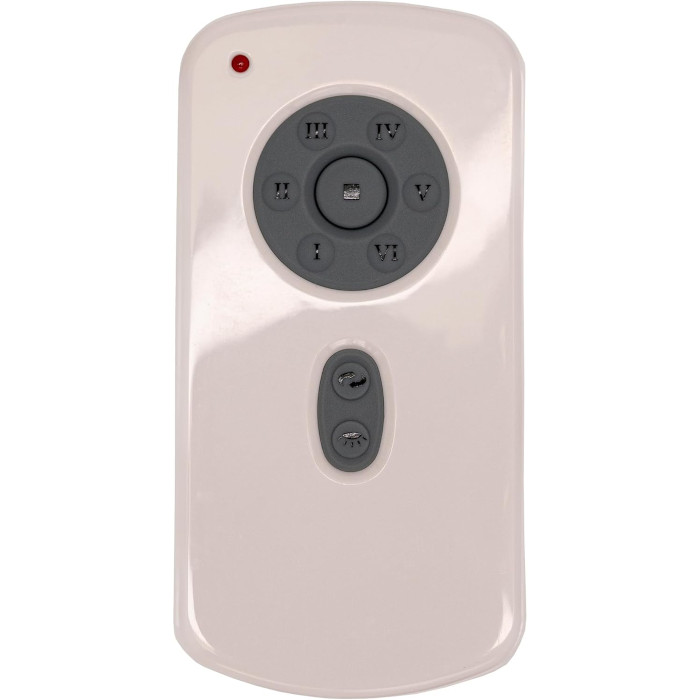
Fanimation controls pair in different ways. The TR29 handheld learns the fan when you press Set within 60 seconds of restoring power. TW30 and TW32 wall controls use code switches plus a SET button. C21 and C23 wall controls only need their four DIP switches matched to the receiver. Always order the exact number on your old control.
Fanimation owners tend to have a wider mix of controls than most: a handheld here, a battery-powered wall transmitter there, sometimes separate buttons for an uplight and a downlight. Before ordering anything, it helps to figure out which of the four Fanimation control families you are dealing with, because each one pairs in its own way.
A little Fanimation history
Fanimation was founded in 1984 by Tom Frampton, who started the company in his garage in Pasadena, California, with three fan designs. Frampton had worked for Burton A. Burton, the founder of Casablanca, starting in 1973. The company moved its headquarters to Zionsville, Indiana, in 2003, and it is still there today, as Fanimation’s own story page explains. Fanimation and Casablanca are separate companies with separate parts; if you own both, our Casablanca remote guide covers the other side.
Fanimation remote and wall control types
Learning-code handheld (TR29)
The TR29 Fanimation fan remote has no code switches. It pairs through a Set button pressed shortly after the fan’s power is cycled, offers six speeds, reverse, and a light mode switch in the battery compartment. It comes with a wall mount bracket; the battery is not included.
Handheld that follows your fan’s manual (TR39)
The TR39 Fanimation remote runs on one 12V A23 battery and pairs exactly as your original remote did, so keep the fan’s manual handy for the procedure. It ships with a wall mount bracket.
Battery wall controls with code switches and SET (TW30 and TW32 series)
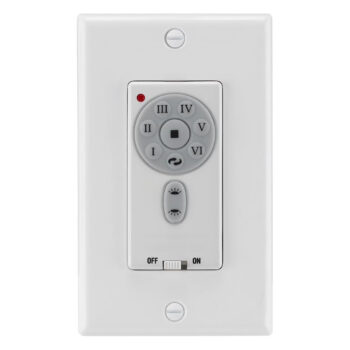
These look like wall controls but carry a 12V A23 battery under the faceplate. The TW30WH Fanimation wall control and TW30 wall control give six speeds, reverse and one dimmable light. The TW32WH Fanimation wall control adds independent uplight and downlight control, each dimmable. All of them have an on/off-only setting for bulbs that cannot dim.
DIP switch wall controls (C21 and C23)
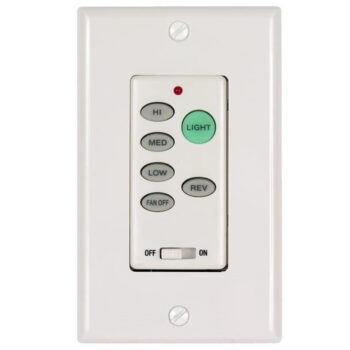
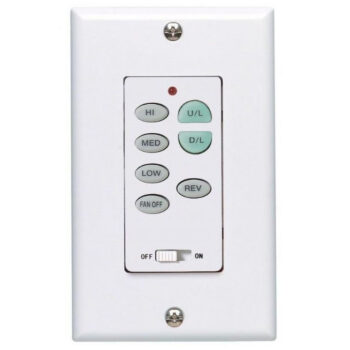
The C21 Fanimation wall control and C23 wall control use four code switches matched to the canopy receiver, with 16 possible codes and nothing to program. Both offer high, medium, low and off. The C21 has a single light button that toggles with a quick press and dims when held; the C23 splits that into separate uplight and downlight buttons and handles reverse on fans that originally had it.
Where Fanimation hides the number
Handhelds usually show their number on the back or under the battery cover. Wall controls normally have it printed on the control itself, which you will see once the faceplate is off. If none of that is legible, the fan’s model number from the motor label or manual still helps us narrow it down. Our model number lookup guide shows where to look.
How to pair a Fanimation TR29 remote
- Cut the fan’s power with the wall switch or breaker, then restore it.
- Before a minute has passed, press Set on the TR29.
- Let the fan run. It will turn in both directions for around five minutes while the receiver completes setup.
- The fan stopping on its own is your signal that pairing worked.
- Under the battery cover, slide the light switch to dim if you use incandescent bulbs, or to on/off for LED and CFL bulbs.
Setting up a TW30 or TW32 battery wall control
- With the breaker off, take off the faceplate and install the 12V A23 battery behind it.
- If your fan’s receiver has code switches, set the control’s switches to the same pattern.
- Make the wiring connections shown in the instructions, secure the control in the box, and turn the breaker back on.
- Inside the first 60 seconds, hold SET down for one to five seconds.
- Expect about five minutes of the fan running forward and backward. When it comes to rest, setup is complete.
Swapped the blades later? Run that setup again so the receiver can relearn the fan. For the C21 and C23, there is no SET routine: match the four switches to the receiver, wire the control per its diagram, and test. If both sides still sit on the factory pattern, choose a new one and set it on both so a neighbor’s control cannot reach your fan. Our DIP switch settings guide explains how.
Fanimation troubleshooting notes
Only one of the two lights responds
Dual-light controls like the C23 and TW32 need a receiver that supports separate uplight and downlight circuits. If your fan’s receiver has only one light output, the second button has nothing to drive.
The fan forgot the wall control after a blade change
That is expected on the TW30 and TW32 series. Repeat the SET routine with the new blades installed.
The fan wobbles or clicks in reverse
Stop and inspect the mounting hardware. The CPSC announced a 2015 recall of Fanimation Brewmaster fans because the hub could separate from the shaft in reverse, so check whether your model is listed. For general direction advice, read which way a ceiling fan should spin.
No response at all
Start with a fresh battery, then confirm power at the fan. Our ceiling fan remote not working guide walks through the rest.
Buying a Fanimation control from us
Each Fanimation listing is for the exact number in its title, so order the one that matches your old control letter for letter. If the label is gone or you are torn between two listings, send a photo by text to (816) 586-8457 or write to info@fanremotes.com; we are in Monday to Friday, 8 AM to 5 PM Central. Orders for in-stock items placed by 4 PM Central ship the same business day, shipping is free over $35, and remotes are covered for a year. Changed your mind before installing? Return it within 90 days, no restocking fee. Everything we carry for the brand is on the Fanimation brand page, and wall controls from all brands are in our wall control category.
Popular Picks
All Fanimation Parts We Stock (11)
Find the number printed on your old part (back of the remote or inside the battery cover; on receivers, the label on the side) and pick the listing with that exact number.
Remotes (2)
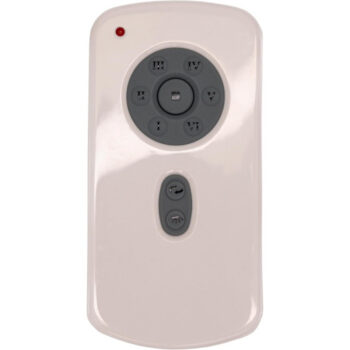
 TR29TR29 Ceiling Fan Remote Control For Fanimation Fans$43.95
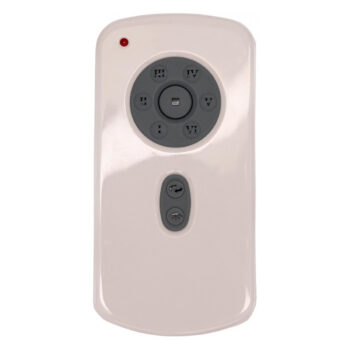
 TR39TR39 Ceiling Fan Remote Control for Fanimation$34.95
Wall Controls (9)
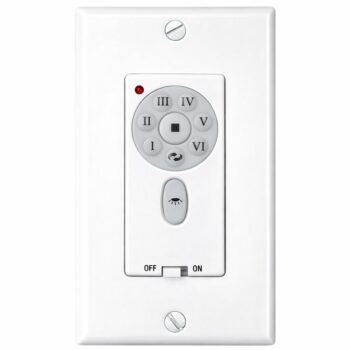
 C21C21 Ceiling Fan Wall Control For Fanimation Fans$38.95
 C23C23 Ceiling Fan Wall Control For Fanimation Ceiling Fans$43.95
 CHQ9053TCHQ9053T Ceiling Fan Wall Control for Fanimation$49.95
 E161552E161552 Ceiling Fan Wall Control for Fanimation$49.95
 TW30TW30 Ceiling Fan Wall Control for Fanimation$49.95
 TW30WHTW30WH Ceiling Fan Wall Control for Fanimation$49.95
 TW32TW32 Ceiling Fan Wall Control for Fanimation$49.95
 TW32WHTW32WH Ceiling Fan Wall Control for Fanimation$49.95
 UC-9787TBUC-9787TB Ceiling Fan Wall Control for Fanimation$49.95
No match on this page. Search the whole store or text us a photo.
Frequently Asked Questions
Does the Fanimation TR29 need code switches set?
No. It is a learning-code remote, so you pair it by pressing Set shortly after cycling the fan's power.
What battery goes in a TW30 or TW32 wall control?
One 12V A23 battery, which fits under the faceplate.
Why does my Fanimation fan spin both ways after I press SET?
That back-and-forth run is the receiver finishing its setup. Wait for it to stop on its own, which takes about five minutes.
Do I need a neutral wire for a TW30 wall control?
Yes. Check that the wall box has a neutral before you buy or install it.
Is Fanimation part of Casablanca?
No. Fanimation's founder once worked for Casablanca's founder, but Fanimation is its own company, headquartered in Zionsville, Indiana.