
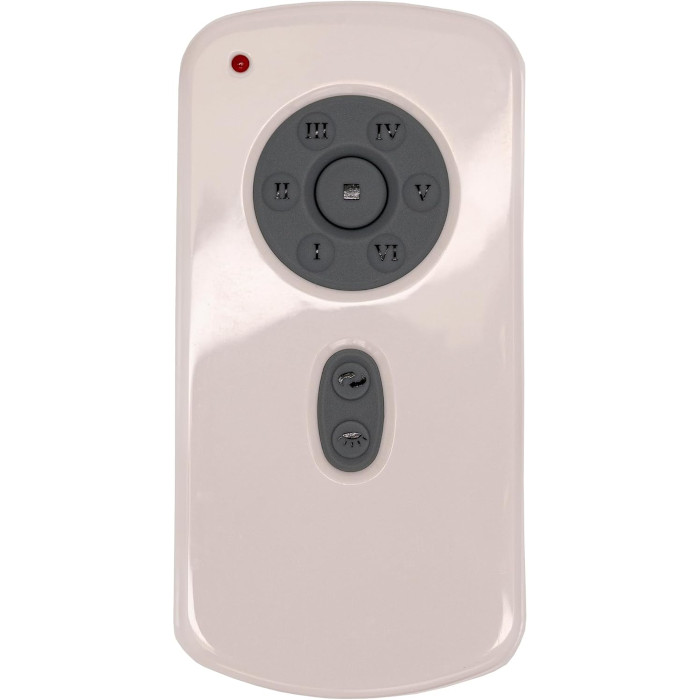
Monte Carlo remotes in our store are listed by fan model number, so read the model from the fan's label or manual first. To pair, cycle the fan's power, press Set on the remote within 60 seconds, and wait about five minutes while the fan spins both ways. When it stops, the remote is paired.
Here is the one thing that makes Monte Carlo different on our site: every Monte Carlo remote we carry is listed by the fan’s model number, not by a number printed on the remote. So the first job is not reading your old handheld. It is finding the model of the fan on your ceiling.
Step one: find your Monte Carlo fan model
Our Monte Carlo listings include remotes for fan models such as 3ARR68BS Monte Carlo fan remote, ARR68RZWBBS fan remote and 5VMR72RZWD Monte Carlo remote, each its own listing. Look for your fan’s model in these places:
- The label on the fan, which on most fans sits on the motor housing or the mounting bracket.
- The owner’s manual or installation guide.
- The original carton or your purchase receipt.
Letters at the end of a model number can matter, so copy every character. If the label is out of reach or faded, our guide to finding your model number has more ideas, or you can text a photo of the label to (816) 586-8457 and we will read it.
A quick word on the company
Monte Carlo Fan Company has been part of the Generation Brands lighting family. In a 2017 notice, the CPSC listed Monte Carlo Fan Company of Skokie, Illinois, as the distributor of its Cyclone fans, with Sea Gull Lighting handling consumer contact. That Cyclone recall concerned blade brackets that could break; if you own a Cyclone, read it before running the fan.
What the Monte Carlo remotes do
Each Monte Carlo listing we carry is a learning-code handheld with six fan speeds, reverse, and a light switch inside the battery compartment that sets the light to dimming or plain on/off. Each ships with a wall mount bracket and instructions. The battery is not included.
Pairing a Monte Carlo learning remote
There are no code switches to set. You let the receiver learn the remote right after a power cycle:
- Interrupt the fan’s power, using either the breaker or the wall switch, and then restore it.
- Press the Set button on the remote before 60 seconds have passed.
- Leave it alone. The fan will turn one way and then the other for roughly five minutes.
- Once it stops by itself, the remote and fan are paired.
- Open the battery cover and pick dim or on/off to suit your bulbs: dim for incandescent, on/off for LEDs or CFLs that are not dimmable.
Then hang the wall bracket so the remote has a home. A wider explanation of learning-code pairing is in how to pair a ceiling fan remote.
Getting the most out of reverse and the light switch
Two features on these remotes are easy to overlook after pairing.
| Feature | What to set | Why it matters |
|---|---|---|
| Light mode switch (in the battery compartment) | Dim for incandescent bulbs; on/off for LED or CFL bulbs that are not dimmable | The wrong setting is the usual cause of flicker or hum from the light |
| Reverse button | Press it to switch blade direction; if your fan’s manual gives a specific procedure, follow that | Lets you switch between a cooling downdraft and a gentler updraft without climbing a ladder |
Which way to run it each season is covered in ceiling fan direction for summer and winter. And because these remotes come with a wall bracket, mounting it by the light switch is the simplest way to avoid the search described in our lost ceiling fan remote guide.
When a Monte Carlo remote will not cooperate
Nothing happens after pressing Set
The learning window closes about a minute after power returns. Cycle the power again and press Set sooner. Try a new battery too; see ceiling fan remote batteries.
A second fan learned the remote as well
Both fans were powered during setup. Turn the other fan off at its own switch, then pair again with only the intended fan on.
The light flickers or buzzes
Check the switch in the battery compartment. Non-dimmable LED bulbs on the dimming setting are a common culprit.
The remote paired but the fan still will not respond later
If the receiver in the canopy has failed, no handheld will fix it. Our receiver replacement guide helps you tell the difference. Working in the canopy means switching off the breaker first; if you are not comfortable, call a licensed electrician.
For a general checklist, see ceiling fan remote not working.
Order the right Monte Carlo remote
Pick the listing whose title shows your fan’s exact model number. ENERGY STAR points out that some remotes should only be used with specific brands, and we go a step further: each listing fits only the number in its title. Questions? Text a photo to (816) 586-8457 or email info@fanremotes.com, Monday through Friday, 8 AM to 5 PM Central. In-stock orders placed by 4 PM Central ship the same day, orders over $35 ship free, and remotes come with a 1-year warranty. Uninstalled items can be returned within 90 days, no restocking fee. See all of them on the Monte Carlo brand page.
Popular Picks
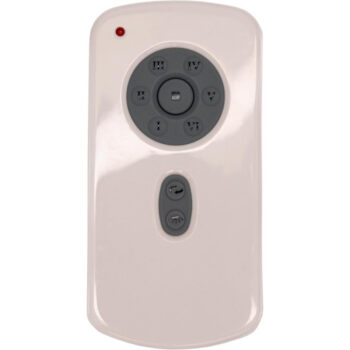
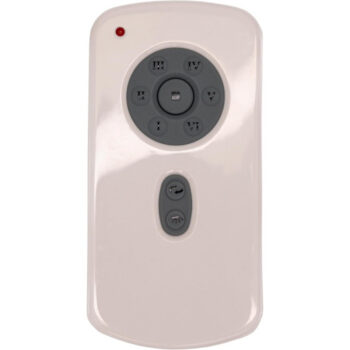
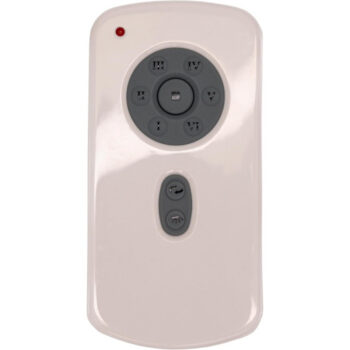
All Monte Carlo Parts We Stock (6)
Find the number printed on your old part (back of the remote or inside the battery cover; on receivers, the label on the side) and pick the listing with that exact number.
Remotes (6)
 3ARR68BS3ARR68BS Ceiling Fan Remote Control for Monte Carlo$23.95
 3ARR68MBK3ARR68MBK Ceiling Fan Remote Control for Monte Carlo$23.95
 5VMR72BSD5VMR72BSD Ceiling Fan Remote Control for Monte Carlo$23.95
 5VMR72OZD5VMR72OZD Ceiling Fan Remote Control for Monte Carlo$23.95
 5VMR72RZWD5VMR72RZWD Ceiling Fan Remote Control for Monte Carlo$23.95
 ARR68RZWBBSARR68RZWBBS Ceiling Fan Remote Control for Monte Carlo$23.95
No match on this page. Search the whole store or text us a photo.
Frequently Asked Questions
Why are Monte Carlo remotes listed by fan model instead of remote number?
Many owners no longer have a readable number on the old remote, but the fan label or manual still shows the fan model, so we list these remotes by the fan model they fit.
Does a Monte Carlo remote from your store include a battery?
No. Each listing includes the remote, a wall mount bracket and instructions, and the battery is sold separately.
Can I control reverse from the Monte Carlo remote?
Yes. These learning-code remotes include a reverse function along with six fan speeds.
How do I stop my other ceiling fan from learning the remote?
Switch the other fan off at its own control before you pair, so only the fan you want is powered during setup.
What if I cannot find my fan's model number?
Text photos of the fan and the old remote to (816) 586-8457 and we will help identify the right listing.