
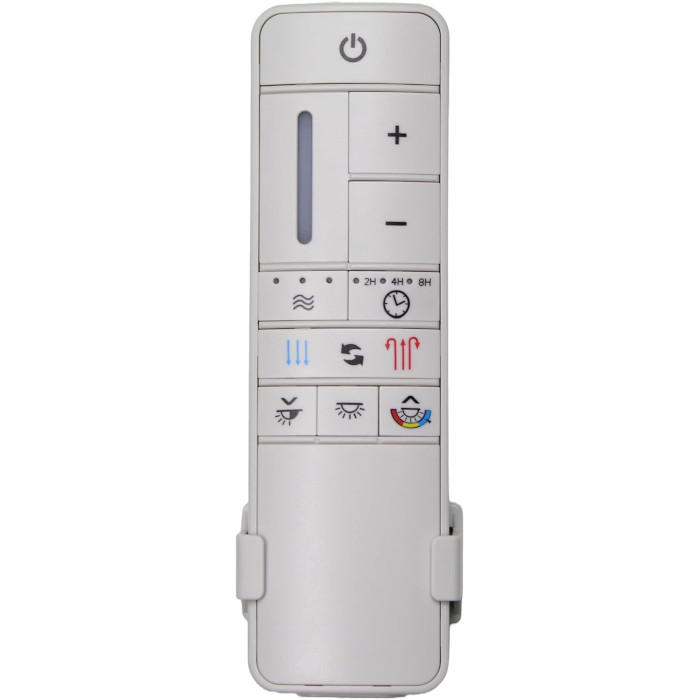
TR198A (White) Ceiling Fan Remote Control For Home Decorators Collection
- Part # TR198A
- Ceiling Fan Remote
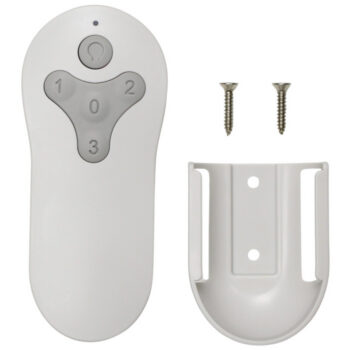
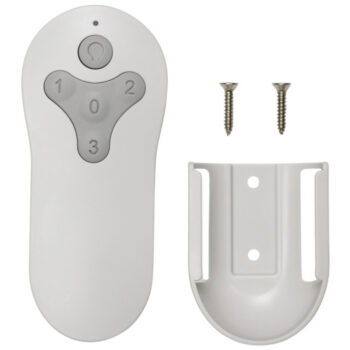
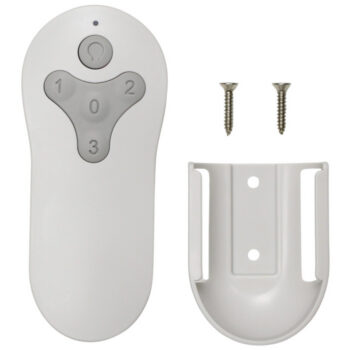
Light-colored TR198A replacement remote for Home Decorators Collection DC fans, with breeze modes, reverse and a wall mount.
$29.95
Ships today from FanRemotes.com
if ordered in the next
In stock
- 1-Year WarrantyOn every product
- Same-Day ShippingIn-stock orders by 4 PM
- 90-Day ReturnsSee return policy
- Expert Support(816) 586-8457Mon–Fri, 8 AM – 5 PM CT
Will This Remote Fit?
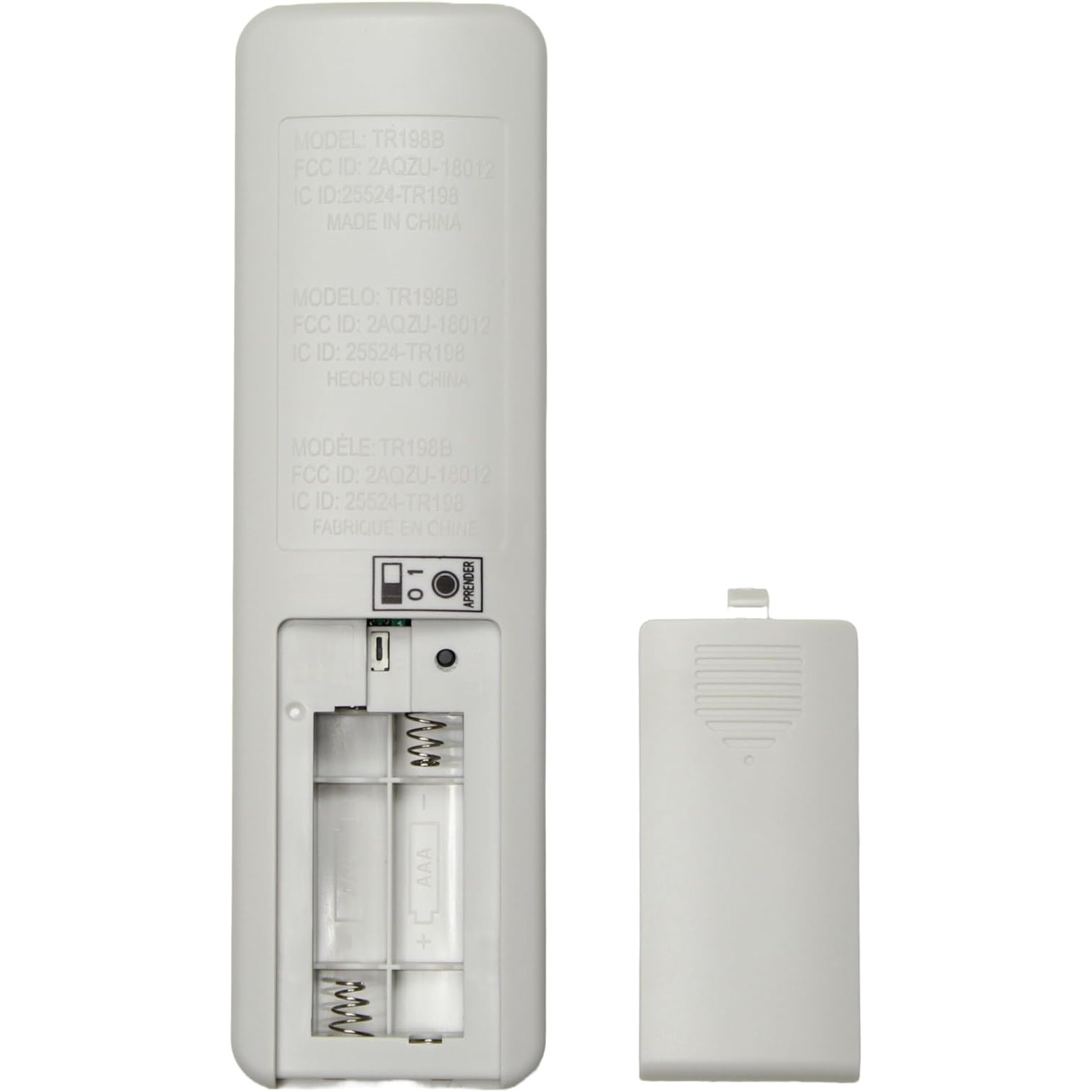
This remote is made to replace the TR198A. Check the label on your old remote (often inside the battery cover) — if it reads TR198A, this is the one you need.
Need help finding your model number? Not sure? Call (816) 586-8457 or email info@fanremotes.com.
About the Home Decorators Collection TR198A Remote
Here is a white TR198A replacement for Home Decorators Collection 9-speed DC fans. It handles every everyday job: speed up or down, reverse, light on, off and dim, the 2, 4 or 8-hour timer and 3 breeze settings.
TR198A appears on the label of the remote that shipped with select Marlon 66 in. fans and other Home Decorators Collection DC models. If the number on your old handset is TR198A, this white unit is the match. It learns your fan's receiver in about a minute.
- Dim the fan light to any comfortable level
- Pairs in about a minute with the Learn button
- Set-and-forget fan timer: 2, 4 or 8 hours
- Forward and reverse from the handset
- White housing that blends with light walls and fans
Dead remote or failed receiver?
Put in fresh batteries and run the pairing steps. If the fan light flashes and the blades start, the receiver is fine and your old handset was the problem. If nothing happens after two careful tries, with the wall switch on, the receiver in the canopy may have failed. A new remote cannot fix a dead receiver.
Handset or wall control?
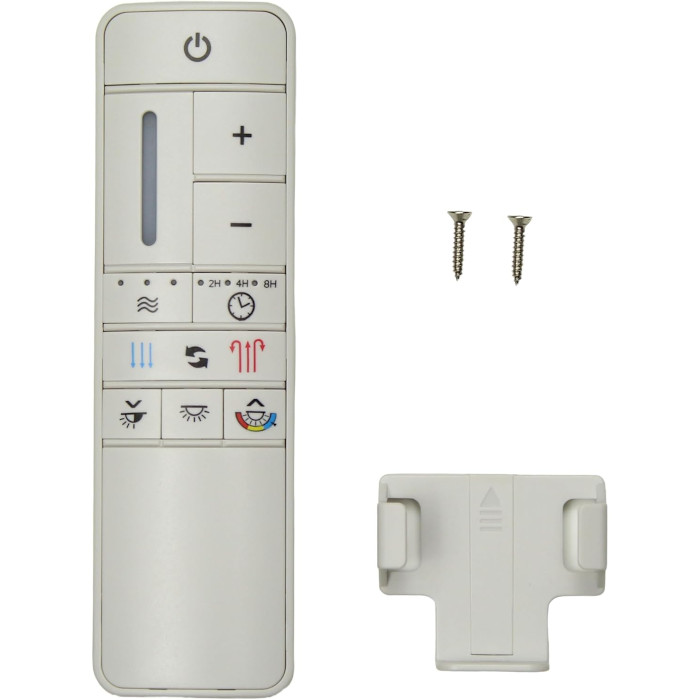
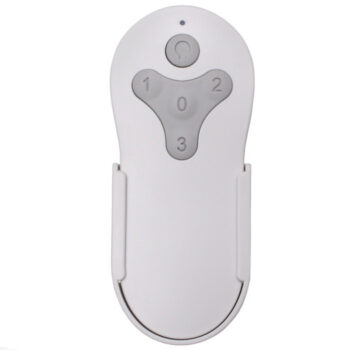
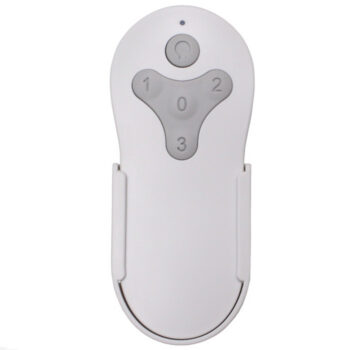
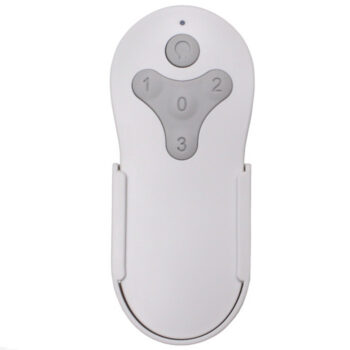
This is a handheld remote, but the included holder lets it act like a wall control too. Leave it on the holder by the door for everyday use, or take it to the couch or bed. Either way, the fan's wall switch should stay on.
Setup & Pairing
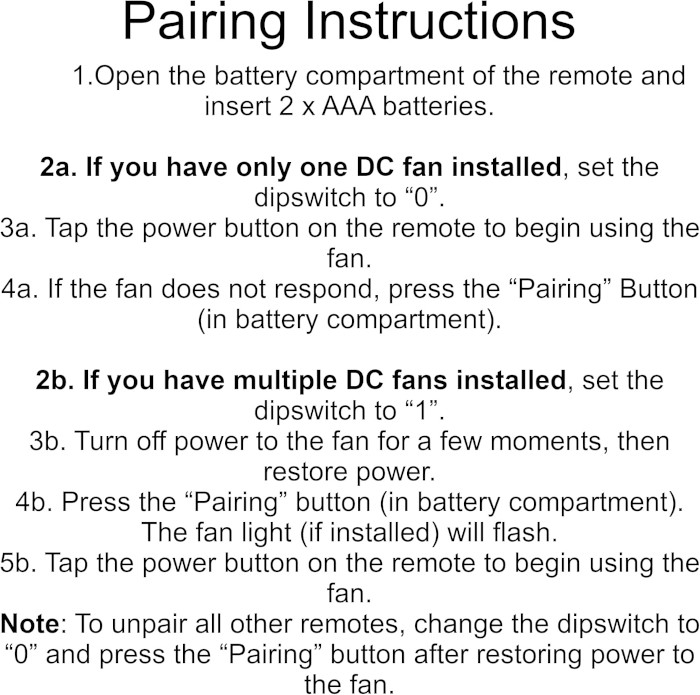
- Open the back of the TR198A replacement remote and fit two new AAA batteries, matching the + marks.
- Check the slide switch next to the batteries and set it to 1.
- Turn the fan off at the wall switch or breaker, wait a few seconds, then switch it back on.
- Press the Learn button once, within 30 seconds of power coming back.
- When the light flashes and the blades begin to spin, pairing is complete. No response? Start over from the power-cycle step.
- Close the cover and try a few buttons to confirm everything responds.
- Marlon fans with an MR205A-D receiver give you up to one minute after power returns instead of 30 seconds.
Tip: check the slide switch first if pairing does not take.
In the box: TR198A replacement remote and a wall holder with screws. Two AAA batteries needed, not included.
Product Details
| Part Number | TR198A |
|---|---|
| Fan Brand | Home Decorators Collection |
| Product Type | Ceiling Fan Remote |
| Made By | Comfort Direct |
| Condition | New |
| Remote color | White |
| Frequency | 433.92 MHz |
| Pairing | Learn button, no DIP switches |
| Battery | Two AAA (not included) |
| Fan speeds | 9 + off, forward/reverse |
| Light | On/off and dimming |
| Timer | Fan-off after 2, 4 or 8 hours |
| Warranty | 1 year |
| Availability | In stock |
| Ships | Same business day if ordered by 4 PM |
| Returns | 90 days on unused items |
Why Buy From FanRemotes.com?
- 1-Year WarrantyEvery product is covered against defects
- Same-Day ShippingIn-stock orders placed by 4 PM ship the same business day
- 90-Day Return PolicyBuy with confidence
- Real Remote Experts(816) 586-8457 · Mon–Fri, 8 AM – 5 PM CT
Frequently Asked Questions
How do I pair the TR198A replacement with my fan?
Set the slide switch in the battery compartment to 1, turn the fan's power off and back on, then press Learn within 30 seconds. The light flashes and the blades start when it has paired.
Do I need any tools?
No tools for pairing. You only need a screwdriver if you want to mount the wall holder.
Can I dim the light all the way down?
You can dim it low. If an LED flickers at the very bottom of the range, raise the brightness a step.
How many fan speeds does it have?
Nine speeds plus off. Use the plus and minus buttons, or hold one to step through.
Is the white TR198A different inside?
No. The white version has the same 9-speed controls and Learn-button pairing; only the housing color differs.
What does the slide switch do?
The pairing steps call for position 1. Set it there before pairing and leave it in place.
When will my order ship?
In-stock orders placed by 4 PM, Monday to Friday, ship the same business day.
What is your return policy?
You can return items within 90 days. Items must be unused and uninstalled, in their original packaging. No restocking fees. Please read our return policy before sending anything back. Questions? Call (816) 586-8457 or email info@fanremotes.com.
Is there a warranty?
Yes. Every product we sell comes with a 1-year warranty against defects. If it fails because of a defect, contact us and we’ll send a replacement.
Help & How-To Guides
Related products
-
BRD60MBK6LR Harbor Breeze Ceiling Fan Remote Control Replacement
$26.95 Add to cart -
2BB78-ITL-F304C Harbor Breeze Ceiling Fan Remote Control Replacement
$26.95 Add to cart -
MZ44ORB3LR Harbor Breeze Ceiling Fan Remote Control Replacement
$26.95 Add to cart -
TR214A Harbor Breeze Ceiling Fan Remote Control Replacement
$26.95 Add to cart -
MZ44BNK3LR Harbor Breeze Ceiling Fan Remote Control Replacement
$26.95 Add to cart