

CHQ7225T Ceiling Fan Remote Control For Home Decorators Collection
- Part # CHQ7225T
- Ceiling Fan Remote
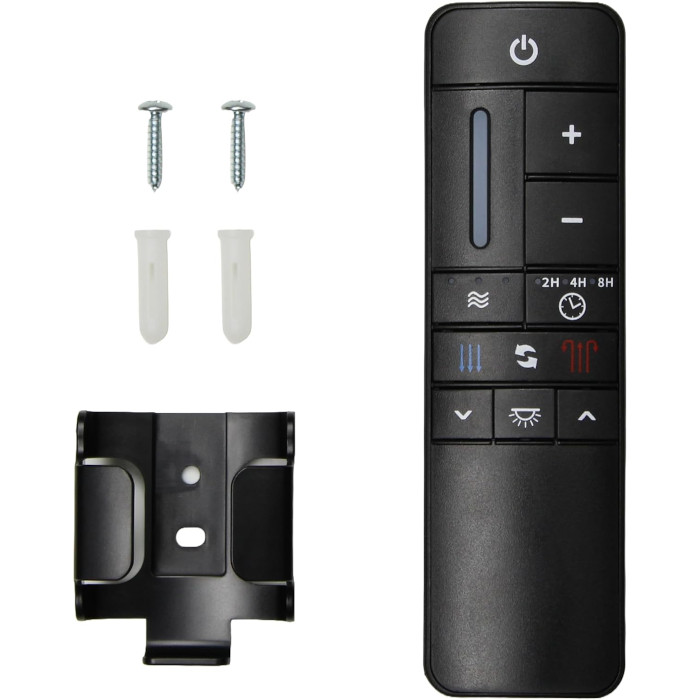
Replacement remote for fans that came with the CHQ7225T, with 9 speeds, reverse, a dimmable light and 3 natural-breeze modes.
$29.95
Ships today from FanRemotes.com
if ordered in the next
In stock
- 1-Year WarrantyOn every product
- Same-Day ShippingIn-stock orders by 4 PM
- 90-Day ReturnsSee return policy
- Expert Support(816) 586-8457Mon–Fri, 8 AM – 5 PM CT
Will This Remote Fit?
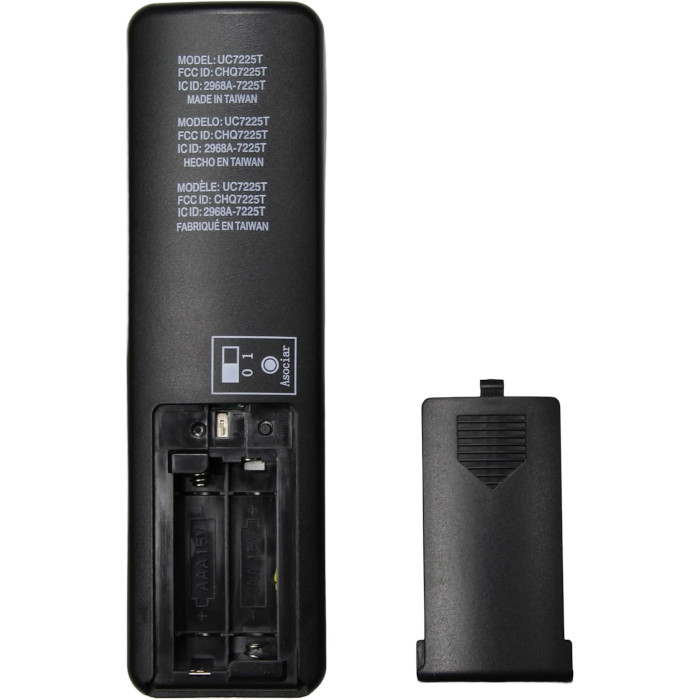
This remote is made to replace the CHQ7225T. Check the label on your old remote (often inside the battery cover) — if it reads CHQ7225T, this is the one you need.
Need help finding your model number? Not sure? Call (816) 586-8457 or email info@fanremotes.com.
About the Home Decorators Collection CHQ7225T Remote
Turn over your old handset and look at the small compliance sticker. If it shows CHQ7225T, you are on the right page. This replacement controls 9 fan speeds, reverse, the light and dimmer, and a timer for Home Decorators Collection DC fans.
CHQ7225T often appears as a code on the back sticker rather than as a large model name, so it is easy to miss. Matched it? Then this handset is made for your fan, including Kensgrove and Marlon models, and it pairs in about a minute.
- Set-and-forget fan timer: 2, 4 or 8 hours
- 3 natural-breeze modes that vary the speed
- Dim the fan light to any comfortable level
- Pairs in about a minute with the Learn button
After a power outage
If the fan does not answer the remote after an outage or a breaker trip, give it a minute, then try again. If it still does not respond, run the pairing steps once more. It takes about a minute and restores the link between the handset and the receiver.
Keep the wall switch on
A remote-controlled fan needs constant power at the receiver. If someone flips the wall switch off, the remote has nothing to talk to and seems dead. Leave that switch on and let the handset do the work. A small switch guard or a note on the plate stops guests from turning it off.
Setup & Pairing
Keep the fan in sight so you can see it confirm the pairing.
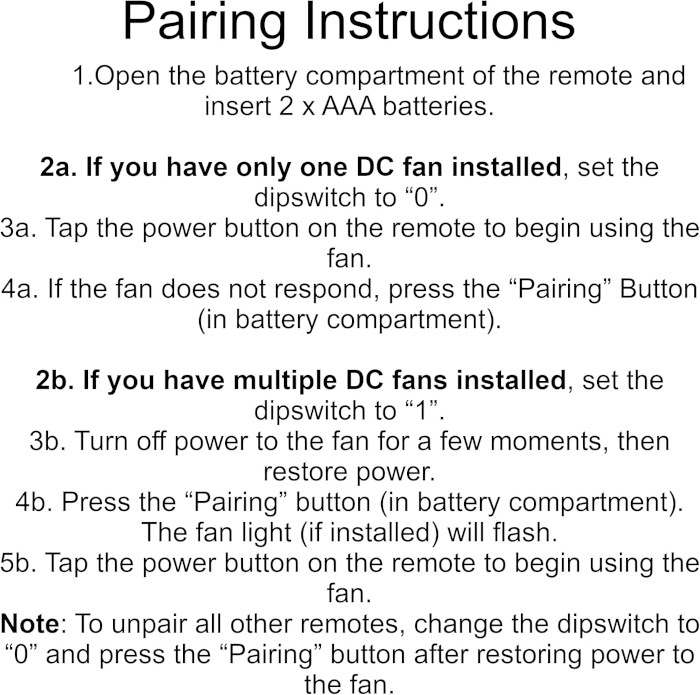
- Load the CHQ7225T replacement remote with two AAA batteries and set the cover aside.
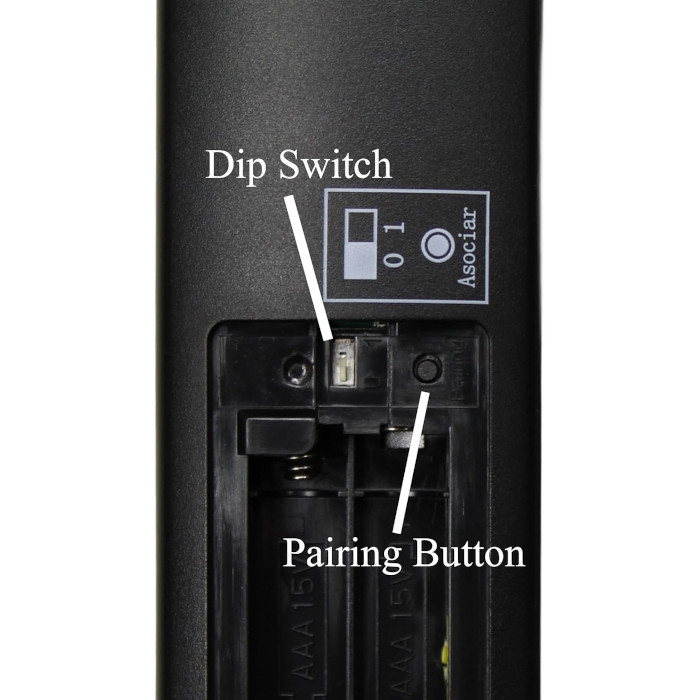
- Check the slide switch next to the batteries and set it to 1.
- Cut power to the fan with the wall switch or breaker, then restore it.
- Within 30 seconds, press and release the Learn button inside the battery compartment.
- A flashing light and moving blades confirm the pairing. If you see neither, run the steps again.
- Snap the battery door back on and test speed, light and reverse.
Tip: if you miss the 30-second window, just cut the power again and repeat.
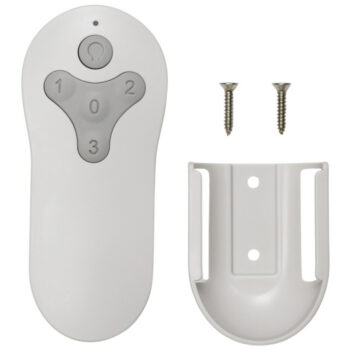
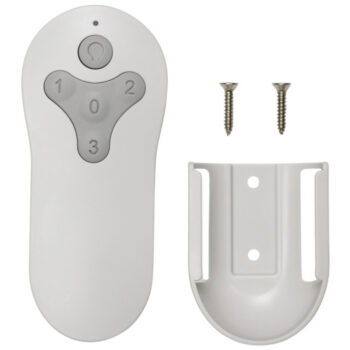
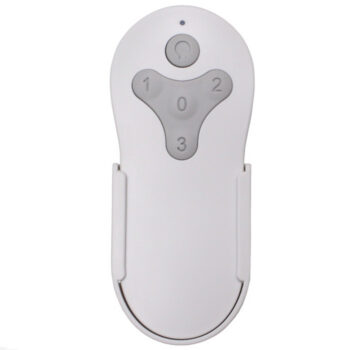
In the box: one CHQ7225T replacement remote plus a wall mount holder and screws (AAA batteries sold separately).
Product Details
| Part Number | CHQ7225T |
|---|---|
| Fan Brand | Home Decorators Collection |
| Product Type | Ceiling Fan Remote |
| Made By | Comfort Direct |
| Condition | New |
| Frequency | 433.92 MHz |
| Pairing | Learn button, no DIP switches |
| Battery | Two AAA (not included) |
| Fan speeds | 9 + off, forward/reverse |
| Light | On/off and dimming |
| Timer | Fan-off after 2, 4 or 8 hours |
| Wall mount | Included |
| Warranty | 1 year |
| Availability | In stock |
| Ships | Same business day if ordered by 4 PM |
| Returns | 90 days on unused items |
Why Buy From FanRemotes.com?
- 1-Year WarrantyEvery product is covered against defects
- Same-Day ShippingIn-stock orders placed by 4 PM ship the same business day
- 90-Day Return PolicyBuy with confidence
- Real Remote Experts(816) 586-8457 · Mon–Fri, 8 AM – 5 PM CT
Frequently Asked Questions
My old remote does not say CHQ7225T. Can I still use this?
Check the label inside the battery cover first. This remote is made for CHQ7225T; for other numbers, search our store or contact us at (816) 586-8457.
How do I pair the CHQ7225T replacement with my fan?
Set the slide switch in the battery compartment to 1, turn the fan's power off and back on, then press Learn within 30 seconds. The light flashes and the blades start when it has paired.
Is a wall holder included?
Yes. A wall mount holder and screws come in the box.
Does the timer turn off the light too?
The timer is a fan-off timer that stops the blades after 2, 4 or 8 hours. Use the light button for the light.
Can I hold the speed button down?
Yes. Holding plus or minus steps through the speeds without tapping each one.
When will my order ship?
In-stock orders placed by 4 PM, Monday to Friday, ship the same business day.
What is your return policy?
You can return items within 90 days. Items must be unused and uninstalled, in their original packaging. No restocking fees. Please read our return policy before sending anything back. Questions? Call (816) 586-8457 or email info@fanremotes.com.
Is there a warranty?
Yes. Every product we sell comes with a 1-year warranty against defects. If it fails because of a defect, contact us and we’ll send a replacement.
Help & How-To Guides
Related products
-
MZ44WW3LR Harbor Breeze Ceiling Fan Remote Control Replacement
$26.95 Add to cart -
MZ44MBLK3LR Harbor Breeze Ceiling Fan Remote Control Replacement
$26.95 Add to cart -
KUJCE10311 Harbor Breeze Ceiling Fan Remote Control Replacement
$26.95 Add to cart -
TR214A Harbor Breeze Ceiling Fan Remote Control Replacement
$26.95 Add to cart -
MZ44ORB3LR Harbor Breeze Ceiling Fan Remote Control Replacement
$26.95 Add to cart