
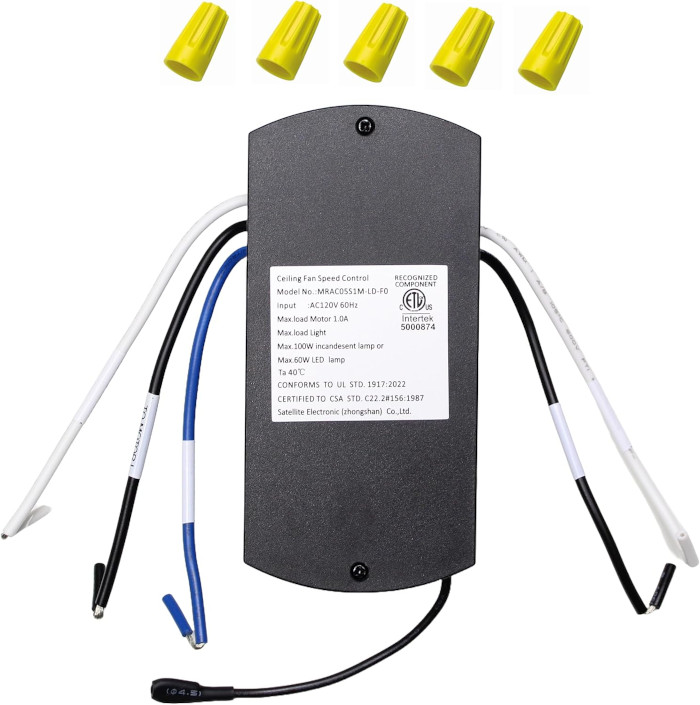
4057326 Ceiling Fan Receiver for Harbor Breeze
- Fan Model # 4057326
- Ceiling Fan Receiver
- Fits 1 model
Restore remote control to the Harbor Breeze fan you bought at Lowe's as item 4057326 with this learning-code receiver.
$33.95
Ships today from FanRemotes.com
if ordered in the next
In stock
- 1-Year WarrantyOn every product
- Same-Day ShippingIn-stock orders by 4 PM
- 90-Day ReturnsSee return policy
- Expert Support(816) 586-8457Mon–Fri, 8 AM – 5 PM CT
Compatible Models
This replacement receiver for the Harbor Breeze 4057326 fits 1 model. Check the model number on your fan’s label.
- 4057326 Harbor Breeze ceiling fan (Lowe's item 4057326)
Not sure it’s the right one? Call (816) 586-8457 or email info@fanremotes.com and we’ll check it against your fan for you.
About the Harbor Breeze 4057326 Receiver
Item 4057326 is how Lowe's lists this Harbor Breeze ceiling fan on receipts and boxes. Heat and power surges wear out receivers over time, and when that happens the remote goes quiet. This replacement connects with wire nuts and restores three speeds, off and a dimmable light.
Find item 4057326 on the fan box or receipt and you know this page is for your fan. It pairs with learning-code remotes like our TR214D.
- Learning-code pairing, no DIP switches
- Three speeds and off from your remote
- Connects with wire nuts
- 3 fan speeds plus off
Leave the wall switch on
A remote-controlled fan needs steady power to the receiver. Leave the wall switch on and use the remote for everything. If people in the house tend to flip the switch off, a switch guard or a note on the plate helps keep the remote working.
Wobble and noise are not the receiver
A receiver controls power, so it will not fix a wobble or a clicking blade. Those usually come from loose blade screws or an unbalanced blade. If your fan wobbles, tighten the blade hardware and use a balancing kit; the receiver swap is a separate job.
Before you order
- Remotes that use DIP switches will not pair with it.
Setup & Pairing
Plan on about an hour, most of it spent at the canopy.
- Cut power at the breaker panel, not just the wall switch.
- Remove the canopy cover and unhook the old receiver, keeping track of every wire.
- Connect the new receiver with wire nuts the same way the old one was connected.
- Switch off other ceiling fans in the area so they stay out of the pairing.
- Flip the breaker on and, inside about 30 seconds, press and hold 0 on the remote. Two blinks from the light mean it paired.
- Try low, medium and high, then the light, before closing up the canopy.
Tip: a helper at the breaker makes the 30-second pairing window easy.
In the box: Replacement receiver for Lowe's item 4057326.
Product Details
| Fan Model | 4057326 |
|---|---|
| Fan Brand | Harbor Breeze |
| Product Type | Ceiling Fan Receiver |
| Made By | Comfort Direct |
| Condition | New |
| Fan speeds | 3 + off |
| Light | On/off and dimming |
| Frequency | 304.25 MHz |
| Pairing | Learning code, no DIP switches |
| Installation | Wire-nut connections |
| Warranty | 1 year |
| Compatible Models | 1 (see list) |
| Availability | In stock |
| Ships | Same business day if ordered by 4 PM |
| Returns | 90 days on unused items |
Why Buy From FanRemotes.com?
- 1-Year WarrantyEvery product is covered against defects
- Same-Day ShippingIn-stock orders placed by 4 PM ship the same business day
- 90-Day Return PolicyBuy with confidence
- Real Remote Experts(816) 586-8457 · Mon–Fri, 8 AM – 5 PM CT
Frequently Asked Questions
Will this replacement receiver for the Harbor Breeze 4057326 fit my ceiling fan?
It fits the 1 model listed under Compatible Models on this page. If your model isn’t listed, call us at (816) 586-8457 and we’ll check for you.
How do I know the receiver is the problem?
If a fresh remote battery does not help and the fan ignores the remote, runs on one speed or will not turn off, the receiver is the likely cause.
Any tip for getting the wiring right?
Take a phone photo of the old connections before you disconnect anything, then match the new receiver to it.
Does it dim the light on your Lowe's item 4057326 fan?
Yes. It turns the light on and off and dims it from your remote.
What if the fan hums after the swap?
Recheck that every wire nut is tight and that no wall dimmer is on the circuit. If it continues, contact us at (816) 586-8457.
My old receiver has a square plug. Will this fit?
This receiver connects with wire nuts. If your old one connects through a square plug instead of wire leads, contact us at (816) 586-8457 before ordering.
When will my order ship?
In-stock orders placed by 4 PM, Monday to Friday, ship the same business day.
What is your return policy?
You can return items within 90 days. Items must be unused and uninstalled, in their original packaging. No restocking fees. Please read our return policy before sending anything back. Questions? Call (816) 586-8457 or email info@fanremotes.com.
Is there a warranty?
Yes. Every product we sell comes with a 1-year warranty against defects. If it fails because of a defect, contact us and we’ll send a replacement.
Help & How-To Guides
- Harbor Breeze Ceiling Fan Remote: Find, Pair and Replace Yours
- Ceiling Fan Receiver Replacement: Signs, Testing and Choosing the Right One
- How to Add a Remote to a Ceiling Fan (Pull-Chain Conversion)
- How to Pair a Ceiling Fan Remote: Every Method Explained
- Ceiling Fan Turns On by Itself? Causes and How to Stop It
Related products
-

458611 Ceiling Fan Receiver for Hampton Bay
$29.95 Add to cart -
TG52BNK3D1RC Ceiling Fan Receiver for Harbor Breeze
$33.95 Add to cart -
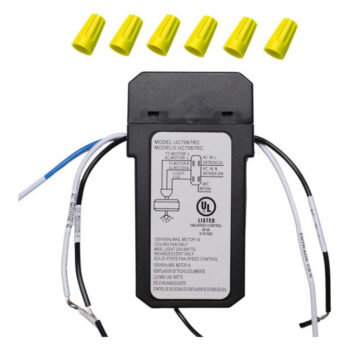
AL60-OBB Ceiling Fan Receiver for Hampton Bay
$29.95 Add to cart -
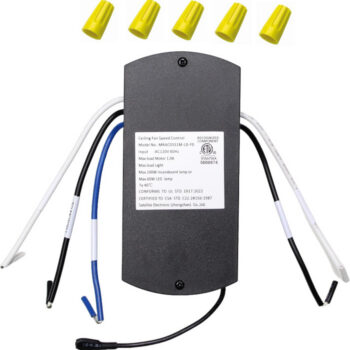
BRD60BNK6LRS Ceiling Fan Receiver for Harbor Breeze
$33.95 Add to cart -
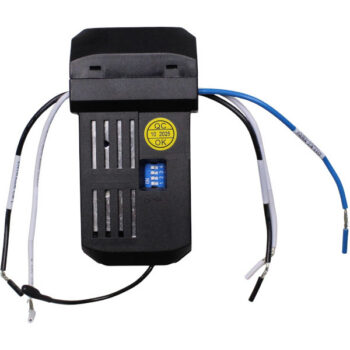
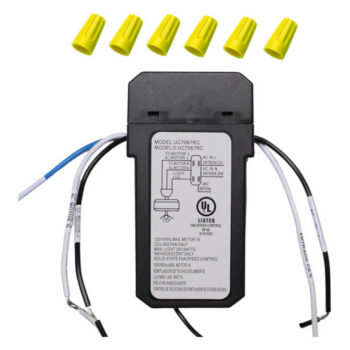
UC7067FMRX Ceiling Fan Receiver for Hampton Bay, Hunter, Harbor Breeze & More
$29.95 Add to cart