
RS54EB6LR Harbor Breeze Ceiling Fan Remote Control Replacement
- Fan Model # RS54EB6LR
- Ceiling Fan Remote
- Fits 1 model
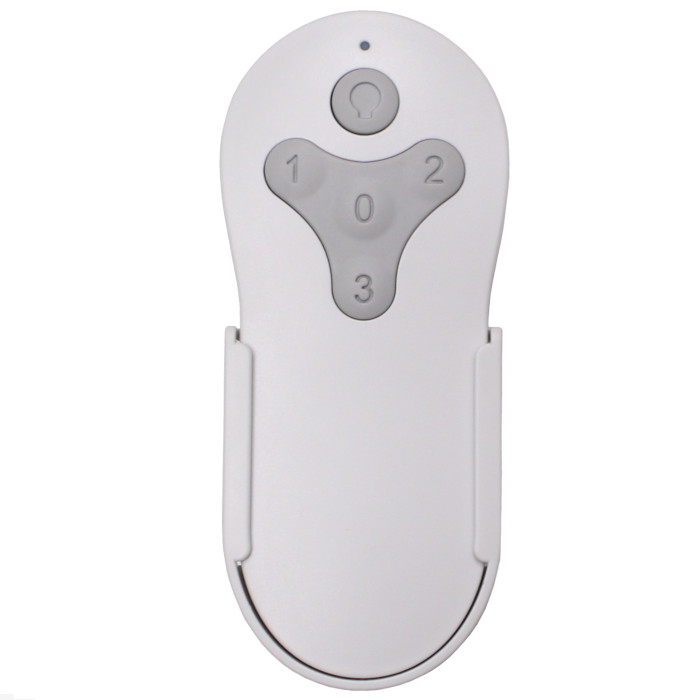
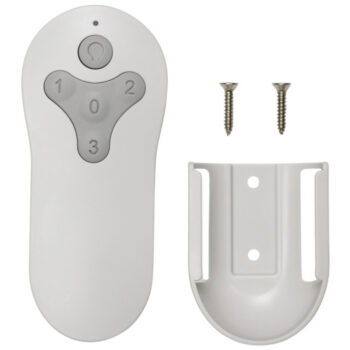
Replacement remote for the Harbor Breeze RS54EB6LR, a Rossman 54-in bronze LED ceiling fan, with three speeds, an off button and a dimming light key.
$26.95
In stock
- 1-Year WarrantyOn every product
- Same-Day ShippingIn-stock orders by 4 PM
- 90-Day ReturnsSee return policy
- Expert Support(816) 586-8457Mon–Fri, 8 AM – 5 PM CT
Compatible Models
This replacement remote for the Harbor Breeze RS54EB6LR fits 1 model. Check the model number on your fan’s label.
- RS54EB6LR Rossman 54-in Bronze LED
Not sure it’s the right one? Call (816) 586-8457 or email info@fanremotes.com and we’ll check it against your fan for you.
About the Harbor Breeze RS54EB6LR Remote
The RS54EB6LR is the bronze Rossman 54-in with an LED light. Without the remote you're down to the wall switch, which means full speed or nothing. This replacement restores the three speeds and lets you dim the light.
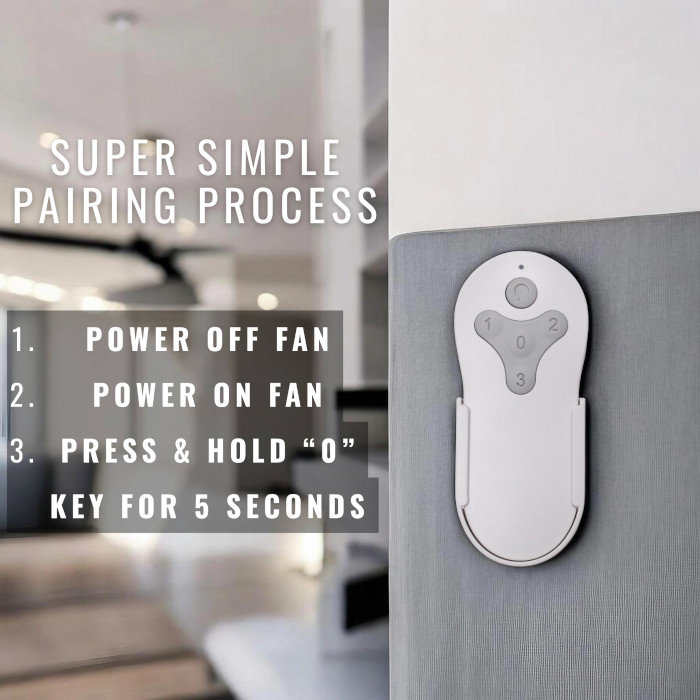
Check your fan's model label for RS54EB6LR before checkout. From there, setup is quick: power off, power on, hold 0 for about five seconds and watch for two blinks.
- Backed by our 1-year warranty
- Three speeds plus off on buttons 3, 2, 1 and 0
- Light returns at the last brightness you set
- Learns the receiver already in your fan
LED flicker while dimming
If the light flickers or buzzes as you dim it, check the wall switch first. These fans belong on a plain on/off switch, not a full-range wall dimmer, and the remote should do all the dimming. Set the wall switch fully on, then use the light button. If flicker continues at every level, the light kit itself may need attention.
Signs the old remote is done
A cracked case, buttons that only work when pressed hard, or a remote that still fails with a fresh battery all point to replacement. Dropped remotes often break a connection inside long before the case looks damaged. Pairing a new remote takes a minute and saves you from chasing the fault.
Before you order
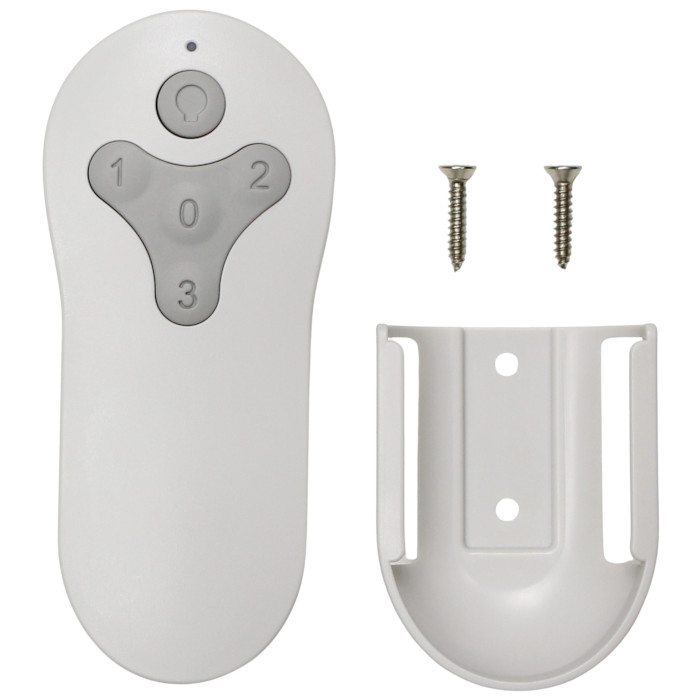
- Compare your old remote with the photos on this page, or contact us with your fan's model number and we'll confirm the fit.
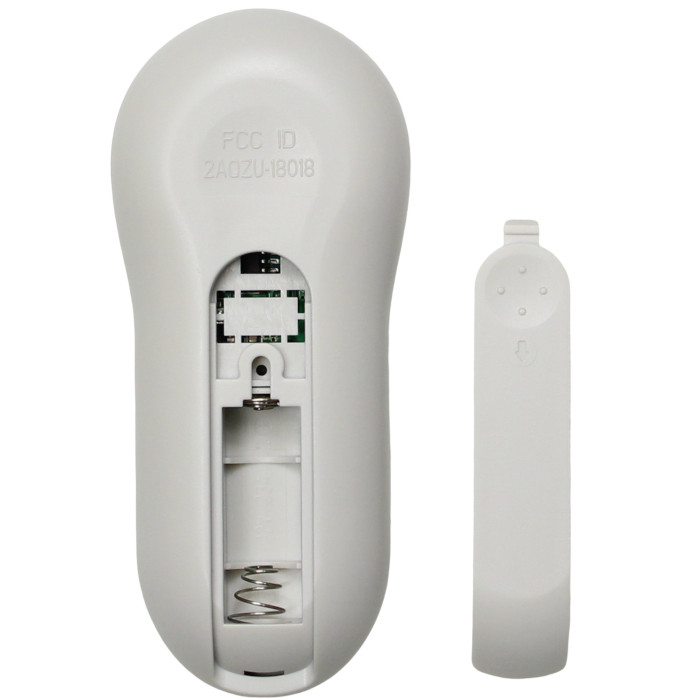
- Plan on a 12V A23 battery, since one isn't included.
Setup & Pairing
- Start with the battery: one 12V A23, positive end up toward the top of the new remote. Close the cover.
- Have other fans in the house? Keep them switched off during pairing so only this one learns the remote.
- Power the fan down at the switch or breaker, pause briefly, then power it back up.
- Within half a minute, hold 0 for about 5 seconds; the fan light blinks twice to show it's paired.
- Test the 3, 2 and 1 speed buttons and the light button to confirm the fan responds.
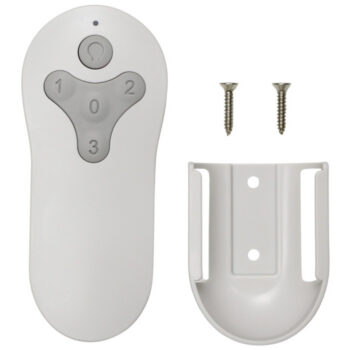
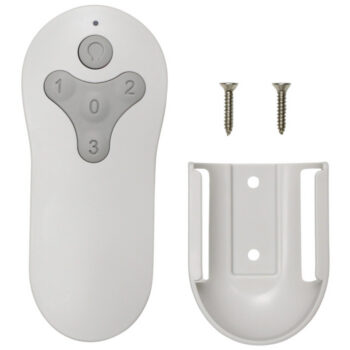
In the box: Replacement remote for the RS54EB6LR and wall mount holder. Battery not included (needs one 12V A23).
Product Details
| Fan Model | RS54EB6LR |
|---|---|
| Fan Brand | Harbor Breeze |
| Product Type | Ceiling Fan Remote |
| Made By | Comfort Direct |
| Condition | New |
| Frequency | 304.25 MHz RF |
| Pairing | Learning code, no DIP switches |
| Battery | One 12V A23 (not included) |
| Fan speeds | 3 + off |
| Light | On/off and dimming |
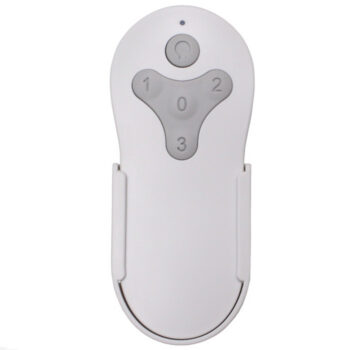
| Wall mount | Holder included |
| Size | About 2 x 6 x 1 in |
| Warranty | 1 year |
| Compatible Models | 1 (see list) |
| Availability | In stock |
| Ships | Same business day if ordered by 4 PM |
| Returns | 90 days on unused items |
Why Buy From FanRemotes.com?
- 1-Year WarrantyEvery product is covered against defects
- Same-Day ShippingIn-stock orders placed by 4 PM ship the same business day
- 90-Day Return PolicyBuy with confidence
- Real Remote Experts(816) 586-8457 · Mon–Fri, 8 AM – 5 PM CT
Frequently Asked Questions
Will this replacement remote for the Harbor Breeze RS54EB6LR fit my ceiling fan?
It fits the 1 model listed under Compatible Models on this page. If your model isn’t listed, call us at (816) 586-8457 and we’ll check for you.
Is this a confirmed fit for the RS54EB6LR?
It's a likely fit. Compare your old remote with the photos on this page, or contact us at (816) 586-8457 or info@fanremotes.com with your model number and we'll confirm before you order.
How do I know pairing worked?
The fan light blinks twice. Then press each speed button and the light button to confirm everything responds.
Can I pair it if my fan has no wall switch?
Yes. Use the circuit breaker to turn the fan's power off and back on, then hold 0 within 30 seconds.
Will it work with any ceiling fan receiver?
No. It pairs only with the receiver type that came with this style of remote, so match your number or fan model to this page first.
Is this a Bluetooth or Wi-Fi remote?
No. It's a standard 304.25 MHz radio remote that talks straight to the receiver in your fan, with no app or hub.
When will my order ship?
In-stock orders placed by 4 PM, Monday to Friday, ship the same business day.
What is your return policy?
You can return items within 90 days. Items must be unused and uninstalled, in their original packaging. No restocking fees. Please read our return policy before sending anything back. Questions? Call (816) 586-8457 or email info@fanremotes.com.
Is there a warranty?
Yes. Every product we sell comes with a 1-year warranty against defects. If it fails because of a defect, contact us and we’ll send a replacement.
Help & How-To Guides
- Harbor Breeze Ceiling Fan Remote: Find, Pair and Replace Yours
- Ceiling Fan Remote Not Working? How to Find and Fix the Problem
- How to Pair a Ceiling Fan Remote: Every Method Explained
- Ceiling Fan Remote DIP Switch Settings: Find, Match and Change Them
- Lost Ceiling Fan Remote? How to Find the Right Replacement
Related products
-
TR214D Harbor Breeze Ceiling Fan Remote Control Replacement
$26.95 Add to cart -
TR214A Harbor Breeze Ceiling Fan Remote Control Replacement
$26.95 Add to cart -
KUJCE10712 Harbor Breeze Ceiling Fan Remote Control Replacement
$26.95 Add to cart -
TG44OSB3D1RC Harbor Breeze Ceiling Fan Remote Control Replacement
$26.95 Add to cart -
MZ44ORB3LR Harbor Breeze Ceiling Fan Remote Control Replacement
$26.95 Add to cart