
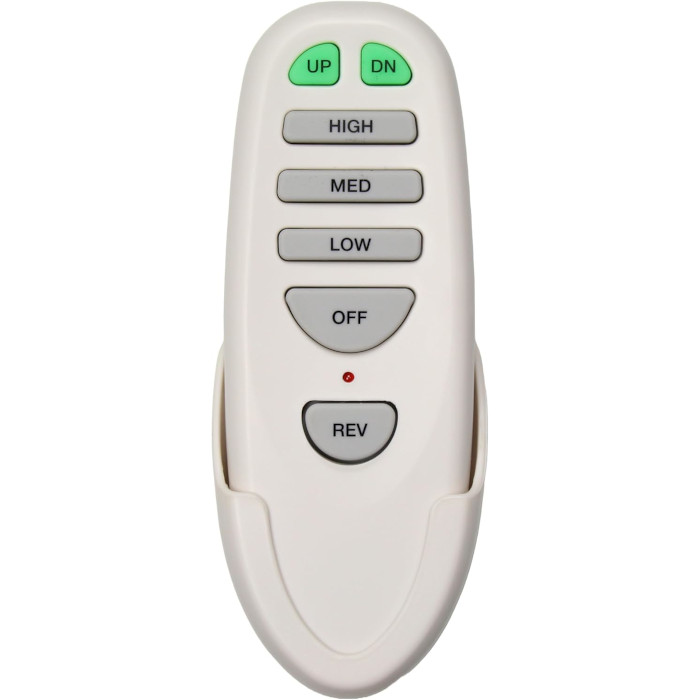
A ceiling fan that turns on by itself is usually hearing another remote on the same code, getting a constant signal from a stuck button, or reacting to a power fluctuation. A failing receiver or a timer, thermostat or app schedule can also be the cause. Changing the DIP switch code or re-pairing the remote fixes most cases.
You’re sitting on the couch and the ceiling fan starts up. Or you come home to find the light on in an empty room. A fan that seems to have a mind of its own is unsettling, but it’s rarely a mystery once you know where to look. Almost every case traces back to one of five causes, and most of them can be fixed with a pen tip and ten minutes.
Why does my ceiling fan turn on by itself?
A remote-controlled fan does what its receiver hears. If it’s switching on, off or changing speed with nobody touching the remote, something is sending it a command, or the receiver is misreading its power or its signal. The usual suspects:
- Another remote on the same code. A neighbor’s fan, another fan in your house, or even another radio device using the same frequency and code.
- A remote with a stuck button. A button pinned down in the wall cradle, under a cushion or in a drawer keeps transmitting.
- Power dips and outages. When power flickers or comes back after an outage, some receivers restart in a different state than you left them.
- A failing receiver. Heat and age can make the electronics in the canopy act erratically.
- A built-in automatic feature. Timers, thermostatic modes, breeze modes and smart-home schedules can all start or change a fan on purpose.
The rest of this page shows how to tell which one you have.
Neighbor’s remote controlling your fan? Code conflicts explained
Most fan remotes use radio frequency, not infrared, so they work through walls and floors. That’s convenient, but it also means a remote next door can reach your receiver if both are set to the same code.
DIP-switch fans
Older and many current fans use a row of tiny DIP switches, usually four, in both the remote and the receiver. Four switches give only 16 possible patterns, and units often leave the factory on the same setting. One Home Depot remote kit manual puts it plainly: “The frequency switches on your receiver and transmitter have been preset at the factory.” Two neighbors who never touched their switches can end up sharing a code. The same manual’s advice for a fan and light that go on and off without the remote is to change the combination code in the transmitter and the receiver.
Learning-code fans
Newer fans skip the switches. The receiver “learns” a remote during a short window after power is switched on. If another fan on the same circuit is also in its pairing window, or a second similar remote is pressed at that moment, a receiver can learn the wrong remote or an extra one. That’s why pairing instructions for many learning-code remotes, such as the TR214D Harbor Breeze remote and the TR326A Harbor Breeze remote, tell you to switch other fans off first.
How to stop a ceiling fan from turning on by itself
Step one: rule out a stuck button
- Take the battery out of the remote (and any battery-powered wall control that talks to the same fan).
- Leave it out for a day or two and note whether the fan still misbehaves.
- If the problem stops, inspect the remote: press every button to make sure none is jammed, and check that the wall cradle isn’t squeezing a key.
If the ghost keeps going with every remote in the house disabled, the command is coming from outside or the receiver is at fault. If instead the fan now ignores the remote entirely once the battery is back in, see what to do when a ceiling fan remote stops working.
Step two: change the code on a DIP-switch fan
- Switch the fan off at the breaker before you lower the canopy.
- Find the DIP switches on the receiver. They’re usually on the edge of the receiver tucked into the canopy or switch housing.
- Pick a new up/down pattern. Avoid all-up or all-down, which are common factory settings.
- Set the receiver to the new pattern, then set the switches in the remote’s battery compartment to exactly the same pattern.
- Close everything up, restore power and test every button.
Hunter’s universal remote manual gives the same idea in one line: “Select different combinations of DIP switches to prevent misoperation due to other remote control fans.” It also notes that power must be turned off and on again for a code change to take effect. Our ceiling fan DIP switch settings guide has diagrams and more detail.
Step three: re-learn the remote on a learning-code fan
- Turn off every other fan that might be in pairing range, at its wall switch.
- Cut power to the misbehaving fan for a few seconds, then restore it.
- Within the pairing window (often about 30 to 60 seconds, depending on the fan), press the learn or pairing button your remote uses.
- Watch for the confirmation your fan gives, such as a light blink or the fan starting on low.
Re-pairing usually clears out a stray remote the receiver picked up. Exact buttons and timing vary by brand; our guide to pairing a ceiling fan remote covers the common methods.
The UC8011T remote is a good example of how simple the DIP fix can be: its instructions suggest moving off the all-up factory setting from the start, and choosing a fresh pattern on both the remote and the receiver if the fan or light ever switches by itself.
Power fluctuations and outages
Receivers are small computers, and they react to power events. Some return to whatever they were doing before an outage; others come back with the light off. Hunter’s universal kit manual, for example, says that after a power outage the light will turn off and remain off once power is restored. If your “ghost” lines up with storms, a breaker trip or the lights blinking elsewhere in the house, power is a likely trigger, not a rogue remote.
Occasional changes after an outage are normal. Frequent ones, or fans that switch on during ordinary operation when other appliances start up, point to a wiring or supply problem. Have a licensed electrician look at it.
Is my ceiling fan receiver going bad?
When codes are unique, the remotes are disabled and the power is steady, the receiver is the last suspect. Signs that often point to a failing receiver:
- The fan or light switches randomly even with every remote’s battery removed.
- Humming or buzzing from the canopy.
- Speeds that change on their own or a light that flickers along with the fan (our ceiling fan light troubleshooting guide covers flicker on its own).
- The remote’s range shrinking even with a fresh battery.
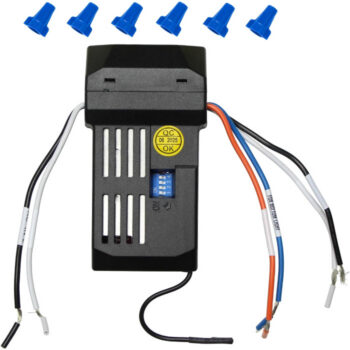
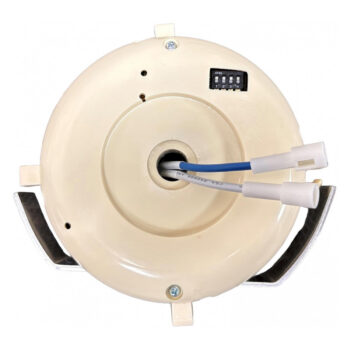
Receivers are specific to the fan, so replace one with the same model, matching its number and its pairing type. Two we carry are the UC7067RC receiver and the UC7051R receiver, both set with DIP switches. The receiver replacement walkthrough explains the job, and the full lineup is under replacement ceiling fan receivers.
Not a ghost: features that run your fan for you
Before you blame the electronics, make sure the fan isn’t doing exactly what it was set to do.
- Thermostatic remotes. A Hampton Bay thermostatic remote manual describes a setting that lets the fan “automatically turn on and off at a previously set room temperature.”
- Breeze modes. On many fans, a breeze or natural-breeze mode deliberately varies the speed.
- Timers and delayed light-off. Some remotes shut the fan or light off after a set time, which can look like a fault if someone else set it.
- Smart-home apps and voice assistants. A schedule or routine in an app can switch a connected fan on at a set time.
Diagnosis at a glance
| Clue | Likely cause | Fix |
|---|---|---|
| Stops when the remote’s battery is out | Stuck or pressed button | Free the button or replace the remote |
| Started after a neighbor’s new fan | Shared code | Change the DIP pattern or re-pair |
| Happens after storms or outages | Power events | Normal if rare; electrician if frequent |
| Random, with buzzing or flicker | Failing receiver | Replace the receiver |
| Same time every day, or with room temperature | Timer, thermostat mode or schedule | Check remote modes and apps |
Ordering a replacement that stops the ghost
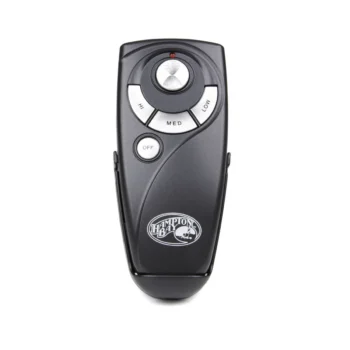
If the remote itself is the problem, order the replacement with the exact number printed on your old one; our page on locating the model number on your remote shows where to find it. When the label is worn off, text a clear photo of the remote, front and back, to (816) 586-8457 and we’ll help identify it. You can browse every handheld in our ceiling fan remotes. Orders for in-stock parts placed by 4 PM Central go out the same day, shipping is free over $35, and every remote carries a 1-year warranty.
Shop the Parts in This Guide
Frequently Asked Questions
Can my neighbor's remote really control my ceiling fan?
Yes. Fan remotes use radio signals that pass through walls, so a nearby remote set to the same code and frequency can operate your fan.
Do I have to change the code on both the remote and the receiver?
Yes. On DIP-switch fans the two must match exactly, so any new pattern has to be set on both.
Can a power surge damage a ceiling fan receiver?
Electrical disturbances can stress a receiver's electronics. If the fan behaves erratically after a storm and nothing else explains it, the receiver may need replacing.
Why does my fan light come on after a power outage?
Some receivers restore their last setting or default to a set state when power returns. Check your fan's manual for how its receiver behaves.
Will a new remote fix a fan that turns on by itself?
Only if the old remote is the cause, such as a stuck button. If the receiver is failing or another remote shares your code, replace the receiver or change the code instead.