
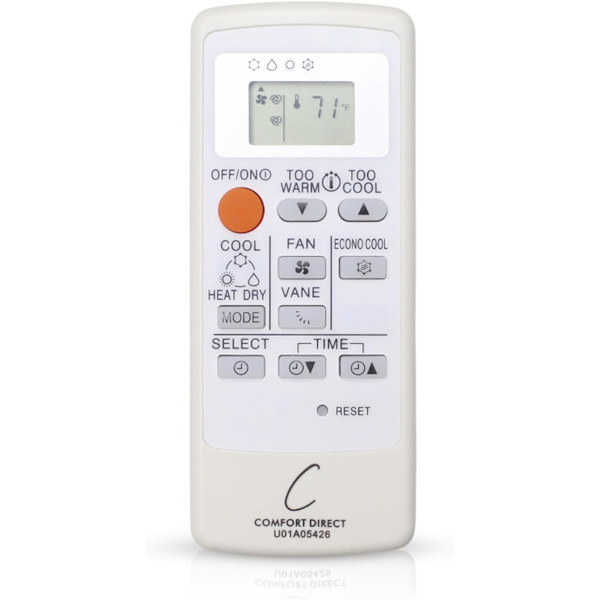
When a mini-split remote stops working, replace both AAA batteries and press the reset button if there is one. Then point it straight at the indoor unit from closer range, since these remotes use infrared. If the unit runs from its own emergency or manual button but not the remote, the remote has likely failed. Replace it by part number or unit model number.
Why is my mini-split remote not working?
A ductless mini-split pairs an outdoor unit with one or more indoor “heads” mounted high on a wall or ceiling, and the handheld remote is how you talk to the head. Unlike a ceiling fan remote, which uses radio, most mini-split remotes use infrared, the same kind of signal as a TV remote. That one fact explains most failures: the remote has to see the unit, and the batteries have to be strong enough to light the infrared LED.
Work through the checks below in order. The first three solve the majority of “dead remote” calls without spending a cent.
Step 1: Batteries and the display
Start with the screen. A blank, faded or flickering display almost always means weak batteries.
- Open the battery cover and replace both cells at once with fresh ones of the same type. Most mini-split remotes take two AAAs, and every Mitsubishi and Trane listing we carry is a two-AAA remote.
- Watch the + and – marks. Trane’s mini-split remote troubleshooting page recommends new, non-rechargeable AAA batteries in the correct orientation.
- Look for a small RESET hole near the batteries. Mitsubishi’s owner’s manual says to press RESET gently with a thin tool after loading batteries and warns that the remote may not operate correctly if you skip it.
If the screen comes back but shows an error code, that’s different: the unit is reporting a fault. Note the code and call your HVAC contractor, since most codes point to something a new remote won’t fix.
Step 2: Line of sight to the indoor unit
Infrared needs a clear path. Stand where you can see the front of the indoor unit and point the remote at it. Its signal receiver is a small window on the front panel. Then try these:
- Move closer. Mitsubishi’s manual for one of its wall-mounted series lists a signal distance of about 6 meters (roughly 20 feet). Across a large open room you may be at the edge.
- Change the angle. Trane suggests raising, lowering or moving the remote to one side, since a head mounted near the ceiling can be at a steep angle from a couch.
- Clear the path. Curtains, shelves and hanging plants block the beam.
- Check the lighting. Mitsubishi notes that its remotes may not be received in rooms with inverter-type fluorescent lamps. Turn those off and test again.
In homes with several heads, the opposite can happen: nearby indoor units may respond when you only meant to control one. Aim carefully, or control each room from inside that room.
Step 3: Make sure the unit itself has power
A perfectly good remote can’t start a unit that’s switched off at the source. Check that the breaker for the system hasn’t tripped, and, on systems that have one, that the outdoor disconnect box near the outdoor unit hasn’t been switched off or pulled. If either one is off and you don’t know why, ask your installer before switching it back on.
Step 4: Test the unit with its own button
Many mini-split indoor units have a small manual or emergency button, often behind the front panel, for exactly this situation. On Mitsubishi units it’s called the emergency operation switch (E.O. SW). The Mitsubishi Electric owner’s manual describes using it when the remote can’t be used; each press steps through preset operating settings.
This button is your best diagnostic tool:
- Unit starts from the button but not from the remote: the problem is the remote or the signal path. If batteries, reset and line of sight check out, the remote has likely failed.
- Unit won’t start from the button either: the remote is probably fine. Look at power first, then call your HVAC company.
Step 5: Rule out settings that look like a broken remote
Sometimes the remote is working and the unit is simply doing what it was told. Symbols vary by brand, but on most remotes you’ll see:
| Symbol (typical) | Mode | What you’ll notice |
|---|---|---|
| Snowflake | Cool | Cold air once the set temperature is below room temperature |
| Sun | Heat | Warm air; on many units the fan waits briefly while the coil warms up |
| Water drop | Dry / dehumidify | Low, quiet airflow; can feel like “nothing is happening” |
| Fan | Fan only | Air moves but isn’t heated or cooled |
| Circular arrows or “A” | Auto | Unit picks heat or cool itself |
If the room never seems to get warm or cool, check that the mode matches the season and the set temperature is on the right side of the room temperature. Also check that no timer is set to shut the unit off. ENERGY STAR’s ductless heating and cooling page even recommends avoiding Auto mode and choosing heat or cool so the system doesn’t switch back and forth on unseasonable days. Your owner’s manual has the exact symbol meanings for your remote.
How to reset a mini-split remote
- Remove the batteries and leave them out for a minute or so.
- Insert two fresh AAAs, minding the polarity.
- Press the RESET button gently with a paperclip or pencil tip, if your remote has one.
- Set the clock if prompted, choose a mode and temperature, and press power while pointing at the unit.
If the remote still does nothing after a reset, go back to Step 4 and test the unit from its own button. Check your owner’s manual before cycling power to the system at the breaker.
Choosing a replacement mini-split remote
Mini-split remotes aren’t one-size-fits-all. Choose by one of two numbers:
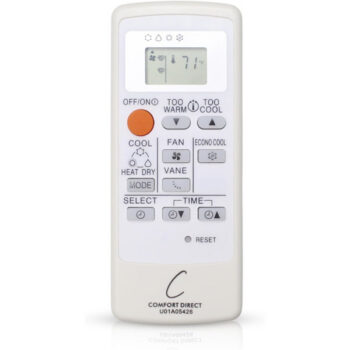
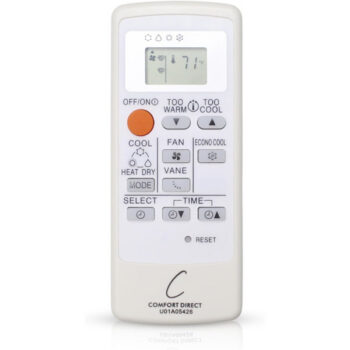
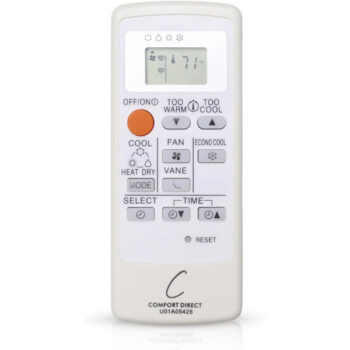
- The part number on the back of the old remote, often inside the battery cover. Mitsubishi remotes we carry are listed this way, for example the U01A05426 mini-split remote and the E22P88426 mini-split remote. Each is a separate listing for the number in its title.
- The model number of your indoor unit, from the rating label on the unit itself; your owner’s manual shows where it is. Our Trane and American Standard remotes are listed by unit model, such as the remote for the Trane NTXWMT09A111AA, the remote for the Trane NTXWMT12A111AA and the remote for the American Standard NAXWEL12A112AA.
Our brand guides go deeper: see the Mitsubishi mini-split remote guide and the Trane and American Standard mini-split remote guide. Replacement remotes made for your unit need no pairing: add batteries, point and press power.
What about a universal AC remote?
A universal model like the KTN828 universal mini-split remote works by code lists rather than a match to one unit. It can be a useful backup, but finding a working code takes some trial and error, and some buttons may not map. See our universal vs. replacement comparison for the general trade-offs.
Get your mini-split back under control
Browse every listing in our mini-split remotes category and pick the one whose title matches your remote’s part number or your indoor unit’s model number exactly. If the label is hard to read, text a photo of the old remote’s back or the unit’s rating label to (816) 586-8457 and we’ll find the listing for you. In-stock remotes ordered by 4 PM Central ship the same day, and each one carries a 1-year warranty.
Shop the Parts in This Guide
Frequently Asked Questions
Does a mini-split remote need to be paired?
Replacement remotes made for your unit generally don't need pairing because they use infrared. Load batteries, point at the indoor unit and press power.
Why does my mini-split beep but not change temperature?
A beep means the unit received the signal. Check the mode and set temperature, because in Fan or Dry mode, or with the set point on the wrong side of room temperature, it won't heat or cool.
Can one remote control several mini-split heads?
An infrared remote controls whichever head it's pointed at, which is why nearby heads can sometimes respond together. Aim at the head you want, or control each one from inside its own room.
How long do mini-split remote batteries last?
It depends on use and the remote, but a fading display is the usual sign it's time. Replace both batteries together with the same type.
Is my wall-mounted thermostat a mini-split remote?
Not always. Some systems use a wired wall controller instead of or alongside a handheld, and those are different parts from the handheld infrared remotes in our mini-split category.