
Portes Ceiling Fan Remote Control for Harbor Breeze
- Fan Collection Portes
- Ceiling Fan Remote
- Fits 1 model
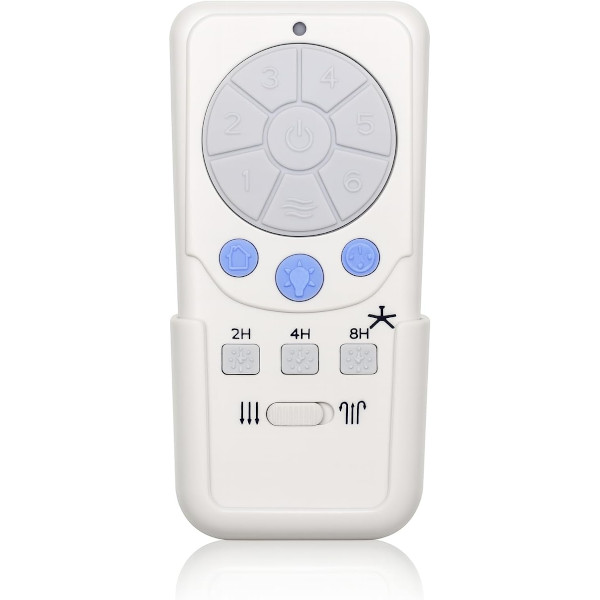
Replacement remote for Harbor Breeze Portes ceiling fans, bringing back six speeds, Natural Breeze, dimming and the sleep timer.
$29.95
Ships today from FanRemotes.com
if ordered in the next
In stock
- 1-Year WarrantyOn every product
- Same-Day ShippingIn-stock orders by 4 PM
- 90-Day ReturnsSee return policy
- Expert Support(816) 586-8457Mon–Fri, 8 AM – 5 PM CT
Compatible Models
This replacement remote for the Harbor Breeze Portes ceiling fans fits 1 model. Check the model number on your fan’s label.
- LP8293SLMW Portes
Not sure it’s the right one? Call (816) 586-8457 or email info@fanremotes.com and we’ll check it against your fan for you.
About the Harbor Breeze Portes Remote
Harbor Breeze Portes fans are 52-inch Platinum models with the RECDC8293 receiver built into the motor. Because the receiver stays put, the remote is the only part you need. This replacement restores six speeds, reverse, the dimmer and Home Shield.
If your fan's manual or box says Portes, this is the remote to order. Pairing takes about a minute: power off, power on, two tones, and a press of Learn within 30 seconds.
- Sleep timer that shuts the fan off after 2, 4 or 8 hours
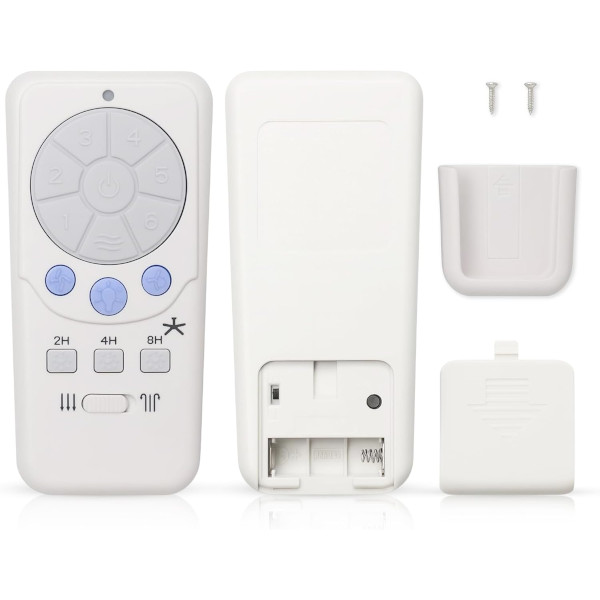
- Pairs in seconds with the Learn button on the back
- Backed by our 1-year warranty
- Speeds 1 through 6, plus a Natural Breeze setting that varies the speed
Battery care
A23 batteries are small 12-volt cells sold at most hardware and grocery stores. Take the battery out if you'll be away for months, and wipe the contacts with a dry cloth if they look dull. A shorter range or a button that needs a second press usually means the battery is fading.
Setting the sleep timer
The timer shuts the fan off after 2, 4 or 8 hours. Pick the shortest one that gets you to sleep, so the fan isn't running all night once the room has cooled. It's also handy in a kid's room, where nobody remembers to switch the fan off in the morning.
Before you order
- This is the remote only; the receiver in your fan has to be in working order.
Setup & Pairing
- Fit one 12V A23 battery into the Portes remote, lining up the + and - ends.
- Turn the fan's power off at the wall switch or breaker, then back on. The receiver plays two tones.
- Inside the 30-second window, press the Learn button on the remote's back.
- Watch for the light to blink 3 times and stay lit while the fan runs on high: you're paired.
- If nothing happens, cycle the power again and press Learn faster.
- If another remote also runs this fan, slide the DIP switch in the battery compartment from 0 to 1 and pair again.
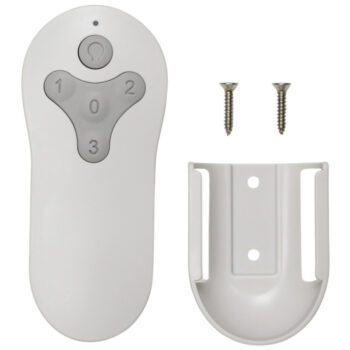
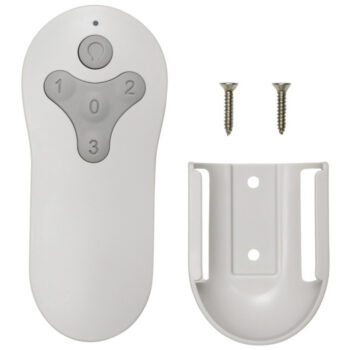
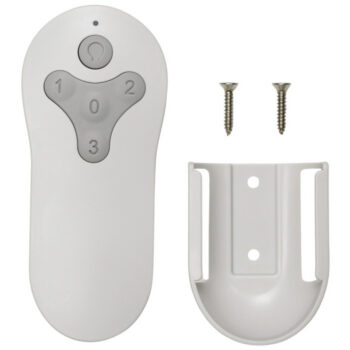
In the box: one Portes replacement remote, a wall cradle plus screws, and printed instructions. The A23 battery is sold separately.
Product Details
| Fan Collection | Portes |
|---|---|
| Fan Brand | Harbor Breeze |
| Product Type | Ceiling Fan Remote |
| Made By | Comfort Direct |
| Condition | New |
| Frequency | 315 MHz radio frequency |
| Pairing | Learning code (Learn button on the back) |
| Battery | One 12V A23 (not included) |
| Fan speeds | 6 + off, plus Natural Breeze mode |
| Light | On/off and dimming |
| Functions | Reverse, 2/4/8-hour sleep timer, Walk Away Light Delay, Home Shield |
| Wall mount | Cradle and screws included |
| Warranty | 1 year |
| Compatible Models | 1 (see list) |
| Availability | In stock |
| Ships | Same business day if ordered by 4 PM |
| Returns | 90 days on unused items |
Why Buy From FanRemotes.com?
- 1-Year WarrantyEvery product is covered against defects
- Same-Day ShippingIn-stock orders placed by 4 PM ship the same business day
- 90-Day Return PolicyBuy with confidence
- Real Remote Experts(816) 586-8457 · Mon–Fri, 8 AM – 5 PM CT
Frequently Asked Questions
Will this replacement remote for the Harbor Breeze Portes ceiling fans fit my ceiling fan?
It fits the 1 model listed under Compatible Models on this page. If your model isn’t listed, call us at (816) 586-8457 and we’ll check for you.
How do I pair it with a Portes fan?
Switch the fan's power off and on, then press Learn on the back of the remote within 30 seconds. The light blinks 3 times when it's paired.
I have two Portes fans. Do I need two remotes?
Yes, one per fan. Pair each with the other fan switched off, and use the DIP switch if they ever interfere.
What is Natural Breeze mode?
It varies the fan's speed by itself so the air feels like a natural breeze. Press a speed button to go back to a fixed speed.
How do I know it paired?
The light blinks 3 times and stays on, and the fan starts on high.
Another remote controls my fan. What can I do?
Slide the DIP switch in the battery compartment from 0 to 1, then cycle the fan's power and press Learn again.
Does it come with a receiver?
No. It pairs with the receiver already in your fan, which needs to be working.
When will my order ship?
In-stock orders placed by 4 PM, Monday to Friday, ship the same business day.
What is your return policy?
You can return items within 90 days. Items must be unused and uninstalled, in their original packaging. No restocking fees. Please read our return policy before sending anything back. Questions? Call (816) 586-8457 or email info@fanremotes.com.
Is there a warranty?
Yes. Every product we sell comes with a 1-year warranty against defects. If it fails because of a defect, contact us and we’ll send a replacement.
Help & How-To Guides
Related products
-
TG52LW3D1RCS Harbor Breeze Ceiling Fan Remote Control Replacement
$26.95 Add to cart -
TR214D Harbor Breeze Ceiling Fan Remote Control Replacement
$26.95 Add to cart -
TG44OSB3D1RC Harbor Breeze Ceiling Fan Remote Control Replacement
$26.95 Add to cart -
TG44LW3D1RS Harbor Breeze Ceiling Fan Remote Control Replacement
$26.95 Add to cart -
MZ44ORB3LR Harbor Breeze Ceiling Fan Remote Control Replacement
$26.95 Add to cart