
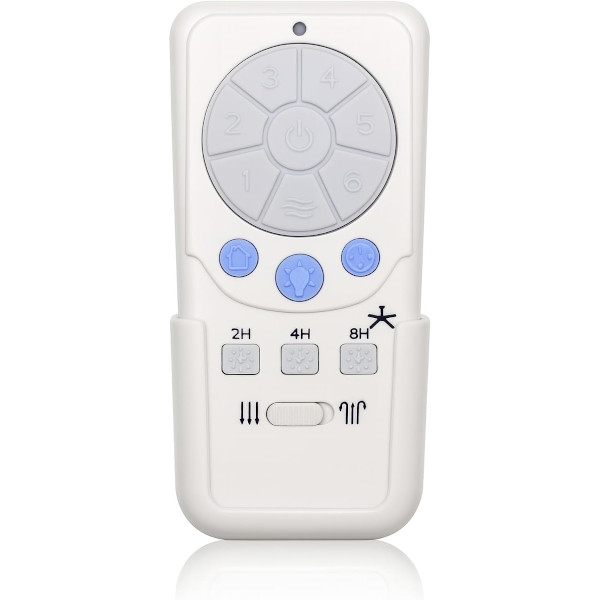
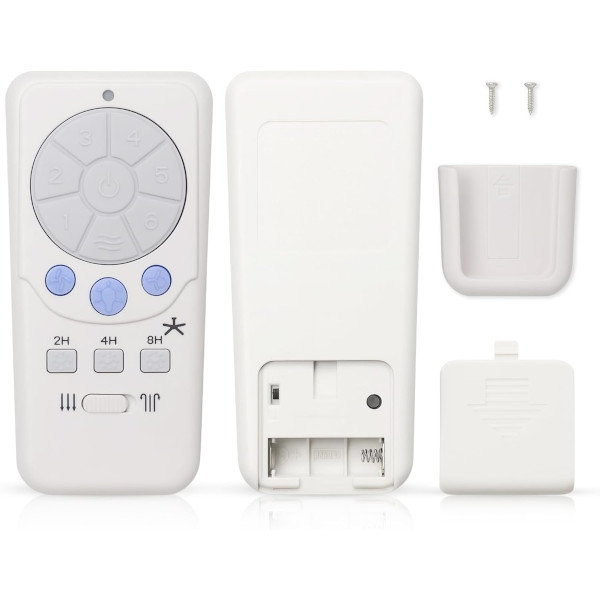
A25-TX012 Ceiling Fan Remote Control for Harbor Breeze
- Part # A25-TX012
- Ceiling Fan Remote
Replacement remote for Harbor Breeze ceiling fans that came with the A25-TX012 remote, with six speeds, light dimming, reverse and a wall mount.
$27.95
Ships today from FanRemotes.com
if ordered in the next
In stock
- 1-Year WarrantyOn every product
- Same-Day ShippingIn-stock orders by 4 PM
- 90-Day ReturnsSee return policy
- Expert Support(816) 586-8457Mon–Fri, 8 AM – 5 PM CT
Will This Remote Fit?
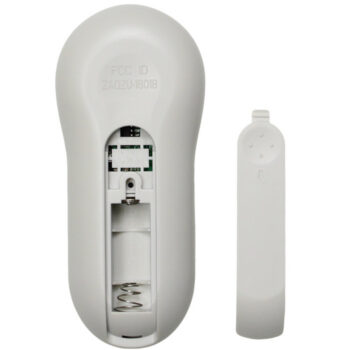
This remote is made to replace the A25-TX012. Check the label on your old remote (often inside the battery cover) — if it reads A25-TX012, this is the one you need.
Need help finding your model number? Not sure? Call (816) 586-8457 or email info@fanremotes.com.
About the Harbor Breeze A25-TX012 Remote
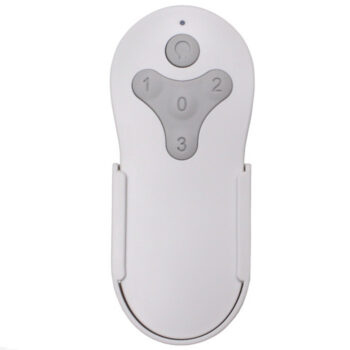
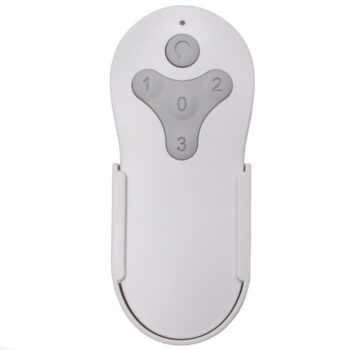
If the back of your old remote or the inside of its battery cover reads A25-TX012, this is the replacement to order. It runs a Harbor Breeze DC fan through six speeds and Natural Breeze, reverses the airflow, and dims the light.
It's made for Harbor Breeze fans that came with the A25-TX012 and pairs with the receiver already in your fan, such as the FD30-H02R, FD40-H02R or FD40-H03R. Setup takes about a minute: power off and on, then press Learn on the back.
- Six fan speeds plus Natural Breeze mode
- 2, 4 or 8-hour sleep timer
- Home Shield cycles the light by itself during trips
Signs the battery is low
A tired battery shows up gradually. You may need to stand closer to the fan, press a button twice, or see the dimmer respond in jumps. Replace the A23 before you pair again, since a weak battery can make a good pairing look like it failed.
Up-light and down-light
Some fans in this group have both an up-light and a down-light. With a receiver like the FD40-H03R, you can switch and dim each one on its own or run both together. Fans with an FD30-H02R receiver have a down-light only, so the up-light buttons won't do anything there.
Before you order
- This is not a universal remote. Check your old remote or your fan's model before ordering.
- This is the remote only; the receiver in your fan has to be in working order.
Setup & Pairing
- Put a 12V A23 battery in the A25-TX012 remote, matching the + and - marks.
- Switch the fan off at its wall switch or breaker, then restore power and listen for two tones.
- Within 30 seconds, press the Learn button on the back of the remote.
- Success looks like three blinks of the light, then the light staying on and the fan running on high.
- No luck? Repeat the power off/on step and press Learn a little sooner.
Tip: have a helper at the wall switch so you can press Learn the moment you hear the tones.
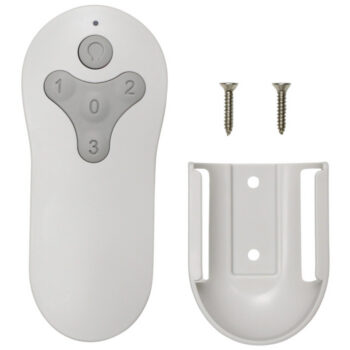
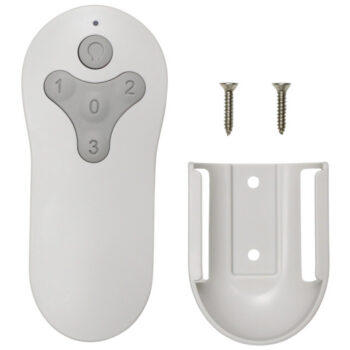
In the box: A25-TX012 replacement remote, wall-mount cradle with mounting screws, and instructions. Battery not included.
Product Details
| Part Number | A25-TX012 |
|---|---|
| Fan Brand | Harbor Breeze |
| Product Type | Ceiling Fan Remote |
| Made By | Comfort Direct |
| Condition | New |
| Frequency | 315 MHz radio frequency |
| Pairing | Learning code (Learn button on the back) |
| Battery | One 12V A23 (not included) |
| Fan speeds | 6 + off, plus Natural Breeze mode |
| Light | On/off and dimming; separate up-light and down-light on fans that have both |
| Functions | Reverse, 2/4/8-hour sleep timer, Walk Away Light Delay, Home Shield |
| Wall mount | Cradle and screws included |
| Warranty | 1 year |
| Availability | In stock |
| Ships | Same business day if ordered by 4 PM |
| Returns | 90 days on unused items |
Why Buy From FanRemotes.com?
- 1-Year WarrantyEvery product is covered against defects
- Same-Day ShippingIn-stock orders placed by 4 PM ship the same business day
- 90-Day Return PolicyBuy with confidence
- Real Remote Experts(816) 586-8457 · Mon–Fri, 8 AM – 5 PM CT
Frequently Asked Questions
Is this the right replacement if my remote says A25-TX012?
Yes. It's made for fans that came with the A25-TX012. The label is on the back or inside the battery cover.
How do I pair the A25-TX012 replacement?
Cycle the fan's power, then press Learn on the back of the remote within 30 seconds. The light blinks 3 times and the fan starts on high.
Is it a universal remote?
No. It's made for Harbor Breeze fans set up for this six-speed learning-code remote, so check your fan before ordering.
Do I need to point it at the fan?
No. It uses a 315 MHz radio signal, so there's no need for line of sight.
Is a battery in the box?
No. You'll need one 12V A23 battery, with the + and - ends matching the marks.
Can I use a dimmer switch on the wall?
No. Don't power these fans from a rheostat or full-range dimmer wall control, as it can damage the fan or the remote.
When will my order ship?
In-stock orders placed by 4 PM, Monday to Friday, ship the same business day.
What is your return policy?
You can return items within 90 days. Items must be unused and uninstalled, in their original packaging. No restocking fees. Please read our return policy before sending anything back. Questions? Call (816) 586-8457 or email info@fanremotes.com.
Is there a warranty?
Yes. Every product we sell comes with a 1-year warranty against defects. If it fails because of a defect, contact us and we’ll send a replacement.
Help & How-To Guides
Related products
-
TG44BNK3D1RC Harbor Breeze Ceiling Fan Remote Control Replacement
$26.95 Add to cart -
BRD60BNK6LRS Harbor Breeze Ceiling Fan Remote Control Replacement
$26.95 Add to cart -
TR214A Harbor Breeze Ceiling Fan Remote Control Replacement
$26.95 Add to cart -
BRD60OSB6LR Harbor Breeze Ceiling Fan Remote Control Replacement
$26.95 Add to cart -
UC7030T Ceiling Fan Remote Control For Hampton Bay, Hunter, Harbor Breeze
$27.95 Add to cart