
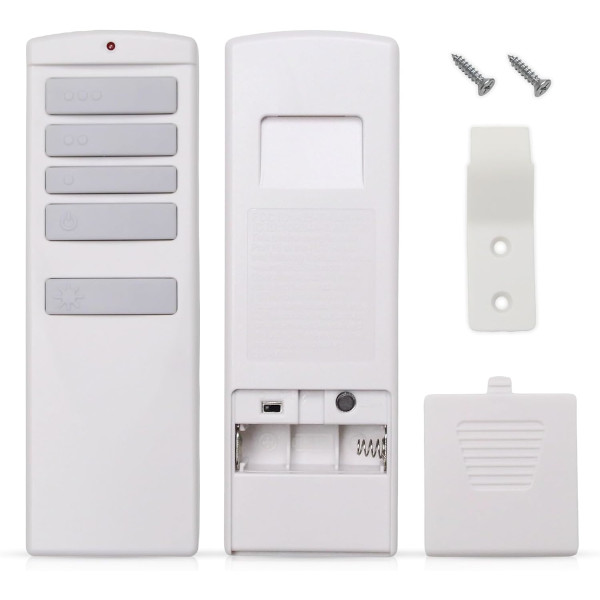
50608 Ceiling Fan Remote Control for Harbor Breeze
- Fan Model # 50608
- Ceiling Fan Remote
- Fits 1 model
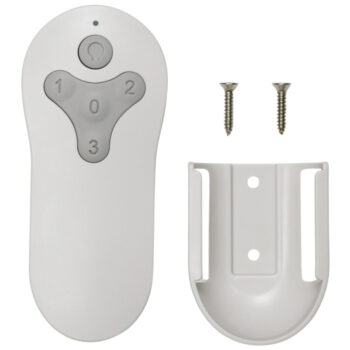
Replacement remote for the Harbor Breeze 50608 Xerxes 62-inch ceiling fan, with three speeds, off and light dimming.
$29.95
Ships today from FanRemotes.com
if ordered in the next
In stock
- 1-Year WarrantyOn every product
- Same-Day ShippingIn-stock orders by 4 PM
- 90-Day ReturnsSee return policy
- Expert Support(816) 586-8457Mon–Fri, 8 AM – 5 PM CT
Compatible Models
This replacement remote for the Harbor Breeze 50608 fits 1 model. Check the model number on your fan’s label.
- 50608 Xerxes 62-in
Not sure it’s the right one? Call (816) 586-8457 or email info@fanremotes.com and we’ll check it against your fan for you.
About the Harbor Breeze 50608 Remote
Model 50608 is the Harbor Breeze Xerxes, a 62-inch ceiling fan. Lost its remote or found it broken? Our replacement lets you run it on high, medium or low, turn it off, and switch or dim the light without getting up.
It is made for the Xerxes 50608 and learns the receiver already in your fan. Check your fan's model number: if it reads 50608, this is the remote you need. Turn the power off and on, then within 30 seconds hold the Learn button for about 5 seconds.
- Three fan speeds (high, medium, low) plus a separate off button
- Light on/off and dimming, with a D/CFL switch for bulbs that can't dim
- Learns the Xerxes 50608 fan's receiver, no DIP switches
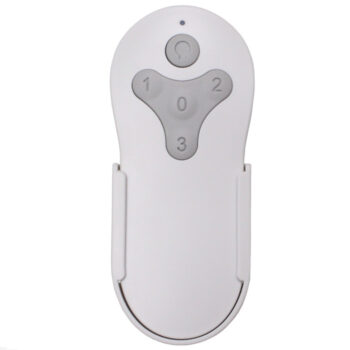
- Wall mount and screws included, backed by our 1-year warranty
Before you order
- No receiver is included. Your fan's original receiver needs to be working.
- There is no reverse (fan direction) button on this remote.
Setup & Pairing
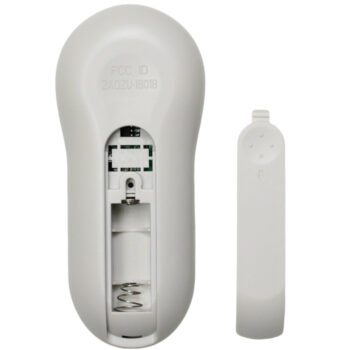
- Put one 12V A23 battery in the 50608 remote, matching the + and - marks.
- If other fans nearby use the same type of remote, turn their power off so they don't learn this remote too.
- Turn your fan's power off at the wall switch or breaker, then turn it back on.
- Within 30 seconds, press and hold the Learn button inside the battery compartment for about 5 seconds.
- The fan starts on low with the light off once it has learned the remote. If it doesn't, cycle the power and try again.
- If your fan's owner's manual says to hold the High and Low buttons together for 5 seconds after restoring power, you can use that method instead.
In the box: 50608 replacement remote, wall mount holder with screws, and instructions. Battery not included.
Product Details
| Fan Model | 50608 |
|---|---|
| Fan Brand | Harbor Breeze |
| Product Type | Ceiling Fan Remote |
| Made By | Comfort Direct |
| Condition | New |
| Designed For | Ceiling fan remote, handheld |
| Frequency | 315 MHz RF (no line of sight needed) |
| Pairing | Learning code with Learn button, no DIP switches |
| Battery | One 12V A23 (not included) |
| Fan speeds | 3 + off |
| Light | On/off and dimming, D/CFL selector switch |
| Reverse | No reverse button |
| Wall mount | Included, with screws |
| Warranty | 1 year |
| Compatible Models | 1 (see list) |
| Availability | In stock |
| Ships | Same business day if ordered by 4 PM |
| Returns | 90 days on unused items |
Why Buy From FanRemotes.com?
- 1-Year WarrantyEvery product is covered against defects
- Same-Day ShippingIn-stock orders placed by 4 PM ship the same business day
- 90-Day Return PolicyBuy with confidence
- Real Remote Experts(816) 586-8457 · Mon–Fri, 8 AM – 5 PM CT
Frequently Asked Questions
Will this replacement remote for the Harbor Breeze 50608 fit my ceiling fan?
It fits the 1 model listed under Compatible Models on this page. If your model isn’t listed, call us at (816) 586-8457 and we’ll check for you.
How do I pair this remote with my 50608 fan?
Turn the fan's power off and back on, then within 30 seconds hold the Learn button in the battery compartment for about 5 seconds. The fan starting on low with the light off means it's paired.
What battery does the 50608 fan remote take?
One 12V A23 battery, which is not included. Make sure the + and - ends match the marks in the compartment.
Does it dim the light?
Yes. Leave the D/CFL switch in the battery compartment on D for dimmable bulbs, including dimmable LEDs. Set it to CFL if your bulbs can't dim, and the light button becomes on/off only.
The remote stopped working after a power outage. What do I do?
Re-pair it: cycle the fan's power, then hold the Learn button for about 5 seconds within 30 seconds. If that doesn't help, try a fresh A23 battery.
What if my fan has a different model number?
This remote is made for the 50608. For other models, search our store or contact us at (816) 586-8457 or info@fanremotes.com and we'll help you match it.
When will my order ship?
In-stock orders placed by 4 PM, Monday to Friday, ship the same business day.
What is your return policy?
You can return items within 90 days. Items must be unused and uninstalled, in their original packaging. No restocking fees. Please read our return policy before sending anything back. Questions? Call (816) 586-8457 or email info@fanremotes.com.
Is there a warranty?
Yes. Every product we sell comes with a 1-year warranty against defects. If it fails because of a defect, contact us and we’ll send a replacement.
Related products
-
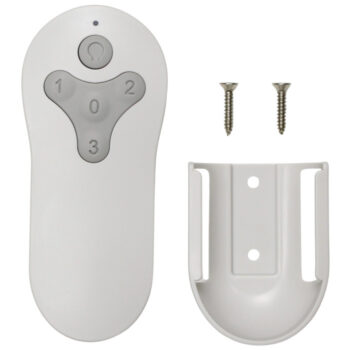
TR214D Harbor Breeze Ceiling Fan Remote Control Replacement
$26.95 Add to cart -
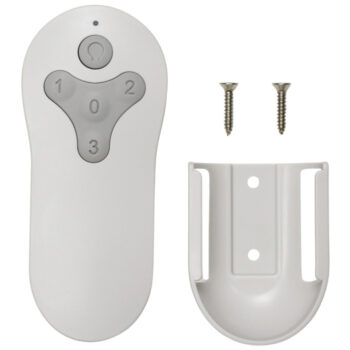

MZ44MBLK3LR Harbor Breeze Ceiling Fan Remote Control Replacement
$26.95 Add to cart -

TG52LW3D1RCS Harbor Breeze Ceiling Fan Remote Control Replacement
$26.95 Add to cart -

TG44BNK3D1RC Harbor Breeze Ceiling Fan Remote Control Replacement
$26.95 Add to cart -

A25-FA0138 Harbor Breeze Ceiling Fan Remote Control Replacement
$26.95 Add to cart